NetGuard
NetGuard
The SDH network management system is an advanced element management system developed for SDH series equipment, compliant with relevant ITU-T recommendations. This network management system manages equipment in accordance with the relevant recommendations, enabling alarm management, configuration management, user management, and performance management. Ordinary users can only query alarm information and device configuration, without the ability to make changes. Users with system administrator privileges can also perform settings, such as device configuration, user management, and system settings.
SDH Network Management System is an advanced Element Management System (EMS) developed for the SDH series equipment, compliant with relevant ITU-T recommendations. This network management system manages equipment in accordance with these recommendations, enabling alarm management, configuration management, user management, and performance management. Regular users can only query alarm information and device configuration details without modification rights. Users with system administrator privileges can also perform settings, such as device configuration, user management, and system configuration.
The equipment adopts an Ethernet interface (F port), which can be directly connected to a PC via a network cable or to a LAN switch for communication. The computer and the equipment must be on the same network segment. The default username and password are both "admin". After logging in, the password can be changed, or a custom username and password can be created using the "User Management" function.
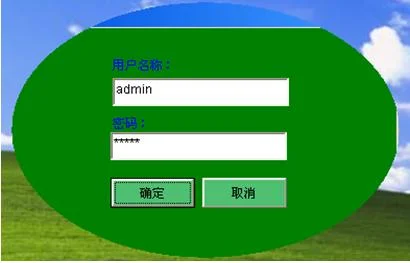
Login Window
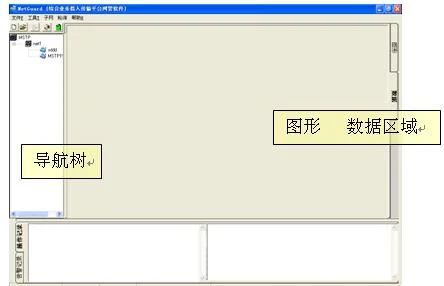
After logging in, the main window is displayed. The main window includes: menu, toolbar, directory tree, topology map, data area, and alarm records. This allows for project creation, parameter configuration, and network topology applications.
Configuration Management. Ethernet Configuration. E1 Configuration. V.35 Configuration.
For detailed configuration, please refer to: SDH Network Management System Operation Manual.
FAQs
What is the working principle and function of a media converter?
The rapid advancement of informatization has led to growing demand for multimedia communications such as data, voice…
View answerWhat is the difference between optical fiber and optical cable? What are the common optical fiber connectors?
Optical fiber is a medium that transmits information from one end to another. It is a glass or plastic fiber that…
View answer