NetGuard New Network Management System
ITU-T standard-based SDH management, F-port direct connection without conversion, hierarchical permissions, separation of duty and configuration responsibilities
SDH network management is an advanced element management system developed for the SDH series equipment. It complies with the relevant ITU-T recommendations and manages the equipment in accordance with these recommendations, implementing alarm management, configuration management, user management, and performance management for the equipment. Ordinary users can only query alarm information and equipment configuration information, and cannot make settings. Users with system administrator permissions can also perform settings, such as equipment configuration, user management, and system settings.
NetGuard is an SDH network management system (NMS) for SDH series equipment. It manages the equipment in accordance with the relevant ITU-T recommendations and brings alarm, configuration, user, and performance management together in a single software package. The system communicates through the equipment's Ethernet interface (F port); connect a network cable directly to a PC or to a LAN switch to log in. It is suitable for O&M of SDH transmission networks in electric power private networks, rail transit communication, and military and government private networks, and also provides supporting NMS support for the SDH equipment in government private network optical fiber communication solutions and military emergency communications vehicle solutions.
Key Specifications at a Glance: Managed objects SDH series equipment · Management capabilities alarm/configuration/user/performance · Access mode Ethernet F port · Networking approach direct connection to a PC or connection to a LAN switch · Communication condition the computer and the equipment are on the same network segment · Default account admin/admin
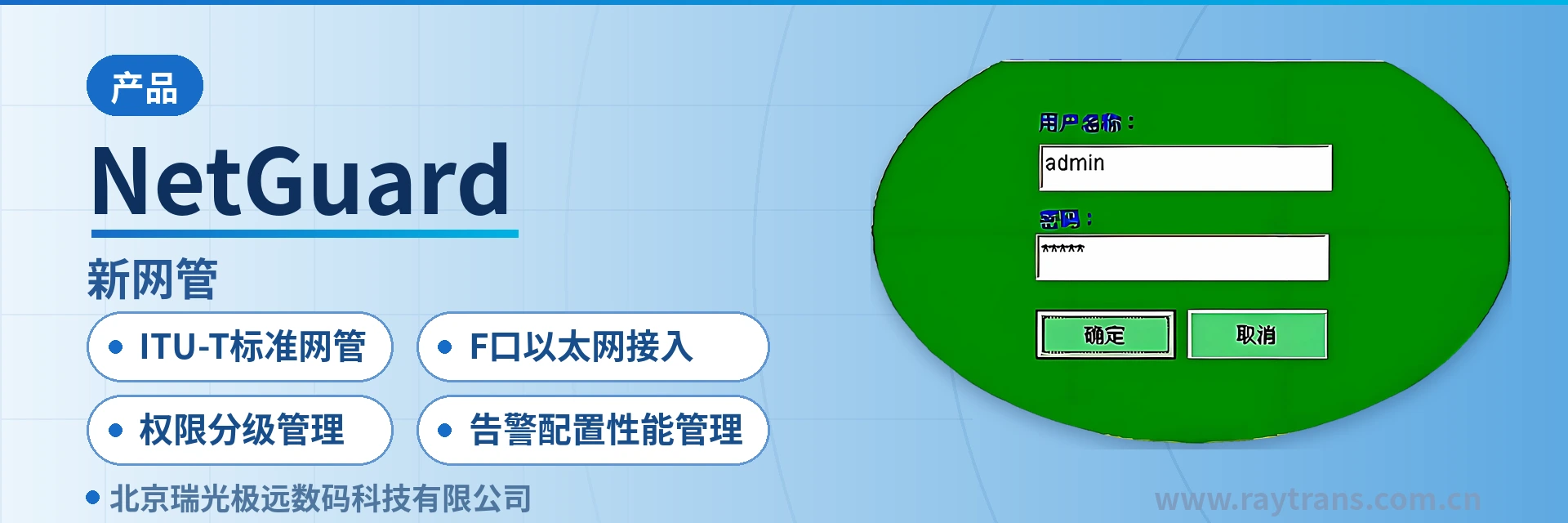
Four capability labels: ITU-T standard NMS, F-port Ethernet access, hierarchical permission management, alarm configuration performance management
The four capability labels of NetGuard summarize the positioning of this software in a private network: managed by standard, connected by port, divided by permission, and queried by category. Understanding these four points helps you quickly judge during selection and delivery whether it matches the O&M approach of an existing SDH transmission network, and also serves as a reference dimension for evaluating the product showcase capabilities of SDH equipment manufacturers.
ITU-T standard NMS: management functions are organized in accordance with the relevant ITU-T recommendations, and the viewing criteria for alarms, configuration, and performance are consistent with existing transmission network specifications;
F-port Ethernet access: the equipment comes with an Ethernet interface (F port); connect a network cable directly to a PC or to a switch, and communication is possible once the computer and the equipment are on the same network segment;
Hierarchical permission management: ordinary users can only query alarm and configuration information, while only the system administrator can issue configurations and manage users and system settings;
Alarm configuration performance management: alarm, configuration, user, and performance management are completed in the same interface, so querying, issuing, and tracing do not require switching between multiple tools.
What an SDH element management system manages: four lines—alarm, configuration, user, and performance
The value of SDH network management lies in aggregating the equipment status scattered across sites into records that can be queried, configured, and traced. This SDH network management system organizes functions along four lines—alarm, configuration, user, and performance—each corresponding to a clear O&M action, and the scope visible to ordinary users differs from that of the system administrator.
Function | Description |
|---|---|
Alarm management | Aggregates alarms reported by SDH series equipment and views them by network element and service, providing a direct basis for on-site troubleshooting |
Configuration management | Queries and issues interface and service parameters for Ethernet, E1, V.35, and other interfaces, with support for online modification |
User management | Creates accounts and assigns permissions; the password can be changed after logging in with the default admin account |
Performance management | Views performance data of equipment and links to judge trends in transmission quality; collected items are subject to what the NMS displays |
Topology and NE view | The main window provides a directory tree and a topology map to locate specific devices level by level according to the network hierarchy |
Hierarchical permissions | Ordinary users have read-only access while the system administrator can make settings, separating the two responsibilities of on-duty monitoring and configuration management |
How to log in to SDH network management: F-port direct connection to a PC or connection to a LAN switch
SDH network management communicates with the management terminal through the equipment's built-in Ethernet interface (F port), and no additional conversion device is required during commissioning. Connect one end of a network cable to the F port and the other end to the network port of an O&M laptop or to the equipment room LAN switch, then configure the computer's address to the same network segment, and you can open the NMS software and log in.
Use a network cable to connect the equipment's F port directly to the PC's network port, or connect it to a LAN switch;
Configure an IP address on the computer that is on the same network segment as the equipment;
Open the NMS software and enter the username and password in the login window;
The default username and password are both admin; change the password immediately after logging in, and when multiple people perform O&M, use "User Management" to create separate accounts for each.
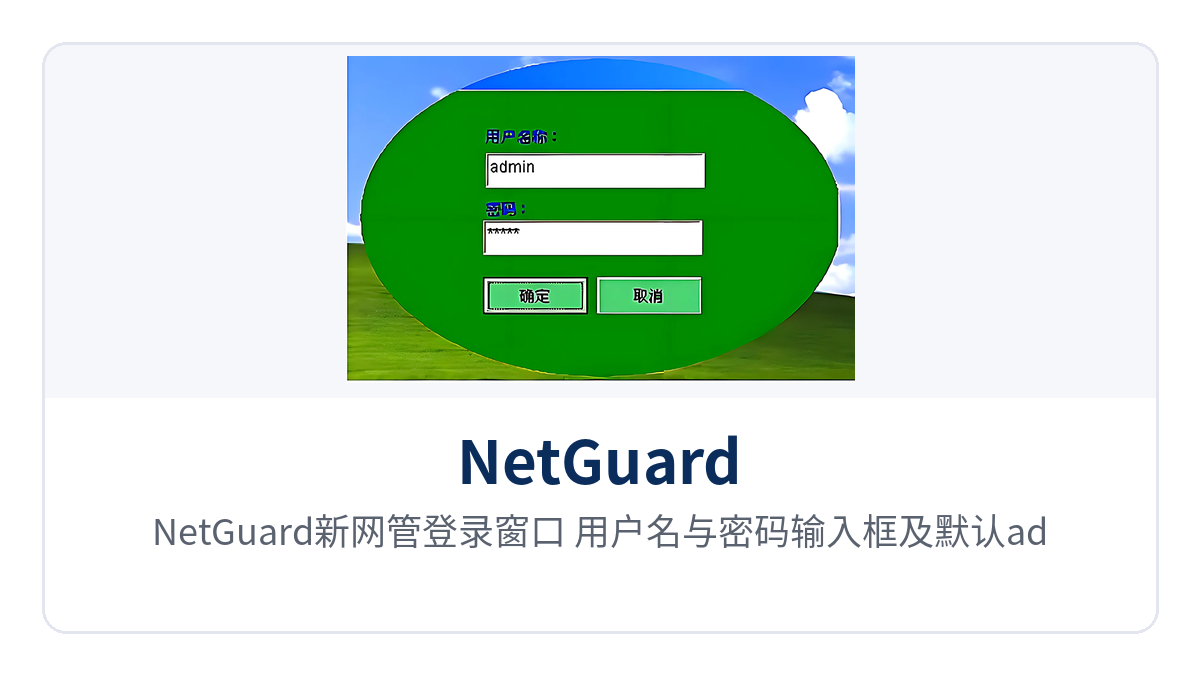
Figure 1: NetGuard new NMS login window with username and password input fields and the default admin hint
The login window is the entry point to the system, and the default username and password are both admin. The default password should be changed immediately after the first login; in equipment rooms shared by multiple people, it is recommended to use "User Management" to create an independent account for each on-duty person, so that shared accounts do not make operation records untraceable to individuals.
Item | Parameter/Specification | Description/Applicable Conditions |
|---|---|---|
Managed objects | SDH series equipment | Managed in accordance with the relevant ITU-T recommendations |
Management access interface | Ethernet interface (F port) | Network cable direct connection to a PC or connection to a LAN switch |
Communication condition | The computer and the equipment are on the same network segment | Direct login is not possible when they are not on the same network segment; adjust the address plan first |
Default account | Username admin, password admin | The password can be changed after login, and new accounts can also be created |
Management functions | Alarm, configuration, user, performance | Accounts with different permissions have different visible scopes |
Configuration objects | Ethernet, E1, V.35 | Specific parameter items are subject to the SDH NMS operation manual |
The main window after login: how to view alarms and performance on one screen
After login, the main window appears, consisting of the menu, toolbar, directory tree, topology map, data area, and alarm record area. The directory tree and topology map are responsible for locating network elements, the data area displays the parameters and status of the selected device, and the alarm record area retains reported information, so that both the network structure and current anomalies can be seen on one screen.
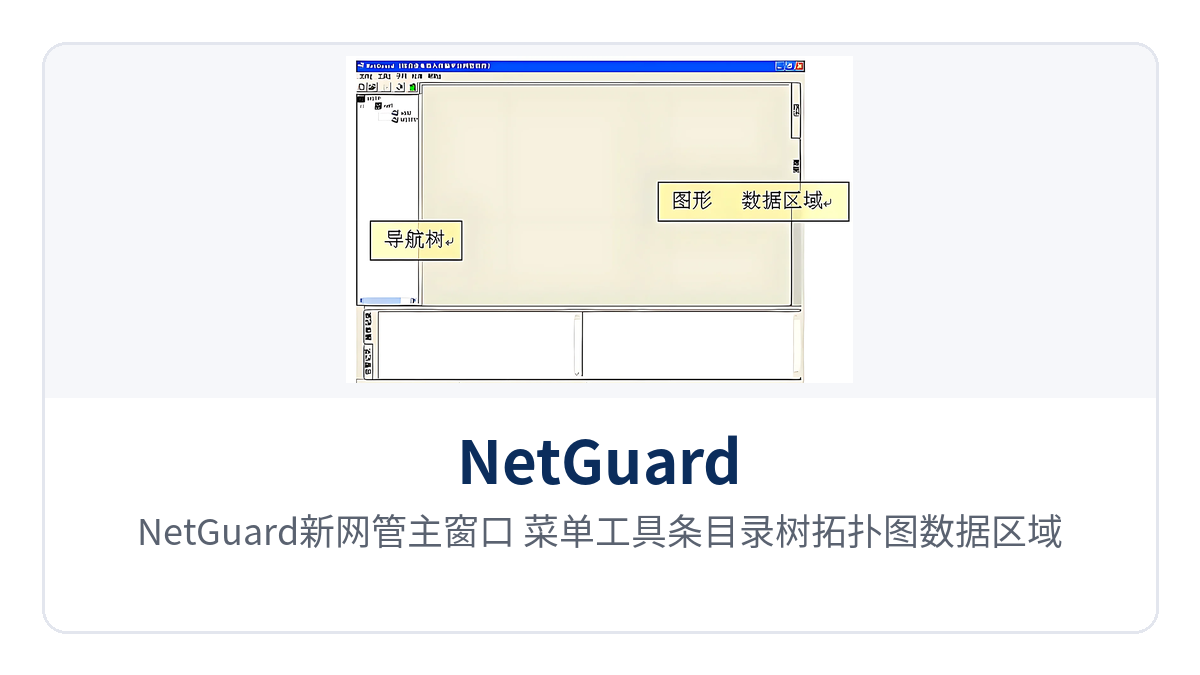
Figure 2: NetGuard new NMS main window with menu, toolbar, directory tree, topology map, data area, and alarm record area
Routine inspection proceeds in the order of alarms first and performance second: first handle the entries in the alarm records that have not yet recovered, then check whether the performance data shows sustained degradation. On-duty personnel are responsible for querying and reporting anomalies, while the system administrator is responsible for issuing configurations and reading back the results for verification; the two responsibilities do not overlap.
What configuration management covers: Ethernet, E1, V.35
Configuration management is the main body of the NMS issuing capability, and NetGuard provides configuration entry points for the equipment's Ethernet, E1, and V.35 interfaces and service parameters. After selecting a network element in the topology map, the administrator enters the configuration interface, sets parameters item by item and issues them, and the configuration results can be read back and confirmed in the data area.
Ethernet configuration: sets the working parameters and service bearing mode of the Ethernet interface;
E1 configuration: manages the time slot allocation and interface parameters of E1 tributaries;
V.35 configuration: sets the transmission parameters of the V.35 data interface;
User and system settings: account, permission, and system parameter adjustments are completed by the system administrator.
The configurable items vary with the device model and software version. For operating steps, refer to the SDH network management operation manual shipped with the device. Recording the original configuration before a change and reading it back for comparison afterwards is a more prudent practice for private network equipment rooms, and it also facilitates post-event tracing of responsibility.
How to Divide SDH Network Management Permission Levels: Read-Only for Common Users, Settings for Administrators
NetGuard divides accounts into two levels: common user and system administrator. The permission boundary directly determines who can view and who can modify. This division corresponds to two types of job roles in private networks: on-duty personnel need to keep track of alarms and current status at any time, while configuration changes are centrally controlled by the network management center.
Common user: queries alarm information and device configuration information, without setting permissions;
System administrator: can perform device configuration, user management, and system settings;
Account maintenance: log in with the default admin account and change the password, then create individual accounts through "User Management".
The direct effect of permission levels is a narrower exposure to misoperation: query-oriented job roles cannot alter in-service services even if they click the wrong item, and configuration accounts are limited in number with clear responsibility. Accounts should be issued with the job role and reclaimed when personnel change; they should be disabled promptly upon transfer or departure, so that the permission baseline does not drift with personnel turnover.
Typical Application Scenarios: Electric Power, Rail Transit, and Military and Government Private Networks
SDH transmission networks carry protection, dispatch, and data services in private networks. Sites are distributed and equipment rooms are mostly unattended, so the remote viewing and configuration capabilities of SDH network management directly affect O&M efficiency. The following three types of scenarios place high demands on alarm real-time performance and permission boundaries, and are also common deployment cases for NetGuard.
Electric Power Private Network: Transmission Monitoring for Substations and Dispatch Centers
Substations are distributed, and communications equipment rooms are unattended all year round. Once a tributary alarm occurs on SDH equipment, discovery through on-site inspection is often already delayed. After the SDH equipment at each station is connected to NetGuard, the dispatch side can see the working status and alarm records of each site on the topology, first determine whether it is a single-site failure or a link problem, and then arrange personnel to attend on site.
Configuration changes for electric power services require traceability and review, and permission levels are especially important here: on-duty personnel use common accounts to query alarms and current status, while system administrators centrally issue configuration changes, avoiding misconfiguration. Parameter adjustments involving protection channels should still be executed after approval according to the inspection process of power dispatch(ing).
Rail Transit Communication: Centralized Monitoring of Sites Along the Line
Transmission devices for rail transit are distributed along the line. Stations, depots, and the control center are connected through SDH ring networks or chain networks, with a large number of sites and long distances between them. SDH network management organizes the sites into a hierarchical structure by directory tree, and the duty operator at the control center locates abnormal sites in the topology, reducing the time spent on site-by-site telephone confirmation.
Configurations should not be changed frequently during line operating hours; the role of network management is more about monitoring and querying: common accounts view alarms and current configuration, administrators uniformly issue changes during the night-time inspection window, and read back for verification before opening the next day, forming traceable operation records.
Military and Government Private Networks: Permission Boundaries and Traceable Operations
Private networks have clear divisions for the visibility scope of information. Within the same network management system, the device scope visible to different accounts and the actions they can perform should differ. NetGuard's two-level division of read-only common users and administrators with settings exactly corresponds to the two types of job roles of duty monitoring and configuration management; accounts are issued with the job role and reclaimed when personnel change.
Device access requires only one network cable to the F port or a LAN switch, without changing existing transmission links, making it suitable for installation in equipment rooms of existing private networks. During acceptance, log in with the default account and change the password immediately, then create accounts by job role, fixing the permission baseline at the delivery stage.