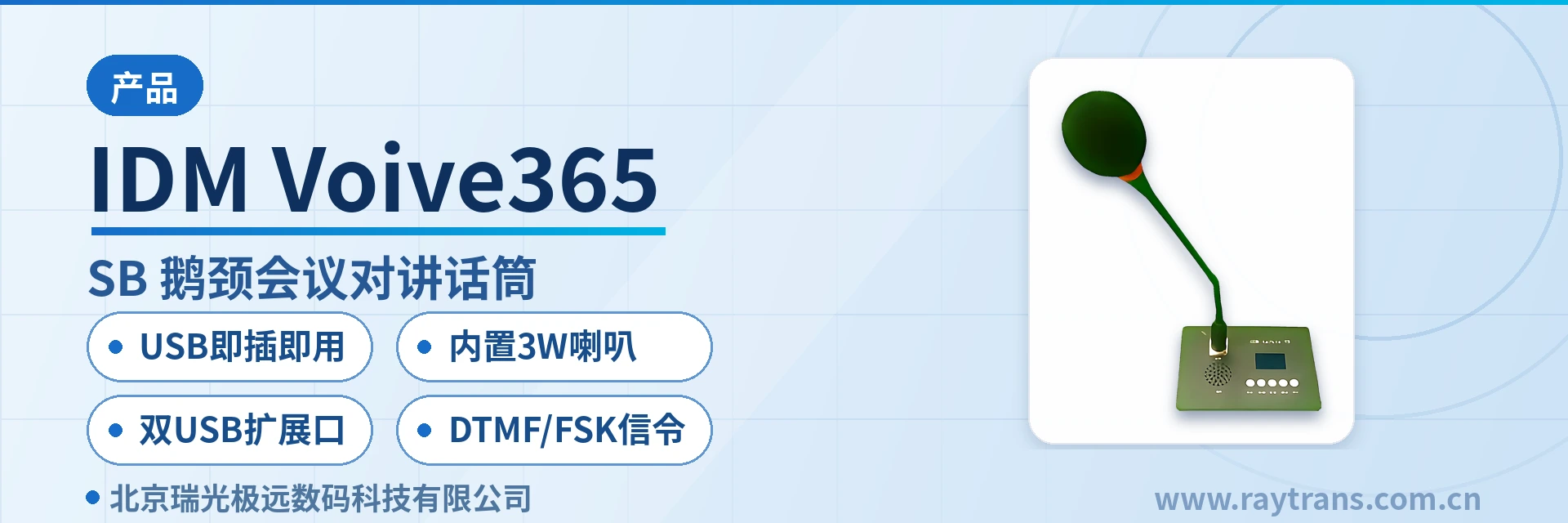
IDM Voive365 USB Gooseneck Conference Intercom Microphone
USB Plug-and-Play
The IDM Voive365 USB Gooseneck Conference Intercom Microphone is a desktop high-fidelity multifunctional microphone launched by Beijing Ruiguang Jiyuan Digital Technology Co., Ltd. It is plug-and-play via the PC's USB interface, converting high-fidelity pickup signals into digital signals on the USB interface. It can also convert voice control button states into serial port signals transmitted to the terminal via USB, or convert button states into in-band voice signaling. This facilitates signaling management in IP voice conference rooms and enables interoperability with SIP voice terminals such as radio sets and two-way radios.
The IDM Voive365 USB Gooseneck Conference Intercom Microphone is a desktop high-fidelity multifunctional microphone developed by Beijing Ruiguang Jiyuan Digital Technology Co., Ltd. (Raytrans). It is a professional desktop intercom terminal and gooseneck intercom terminal product. It is plug-and-play when plugged into a computer's USB interface, converting high-fidelity audio pickup signals into digital signals on the USB interface and converting voice control button states into in-band voice signaling and serial port signals, which facilitates signaling management in IP voice conference rooms and enables interoperability with SIP voice terminals such as radio sets and two-way radios, providing command and dispatch system manufacturers and integrators with reliable audio and video dispatching access capability.
Key Specifications at a GlanceUSB Plug-and-Play · Built-in 3W Speaker · Dual USB Expansion Interfaces · DTMF/FSK Signaling · DC5V/0.5A Power Supply · Highly Directional Gooseneck Microphone Boom · 3.5mm Headset Jack · RS232 Control Port 9600bps
As a multifunctional desktop dispatch terminal, the product can be flexibly incorporated into government private network optical fiber communication solutions and complete audio conference solutions, working with intercom terminals to meet scenario requirements such as product showcase, voice interaction and command and dispatch, and is an ideal desktop-level audio pickup and intercom device in audio and video dispatching systems.
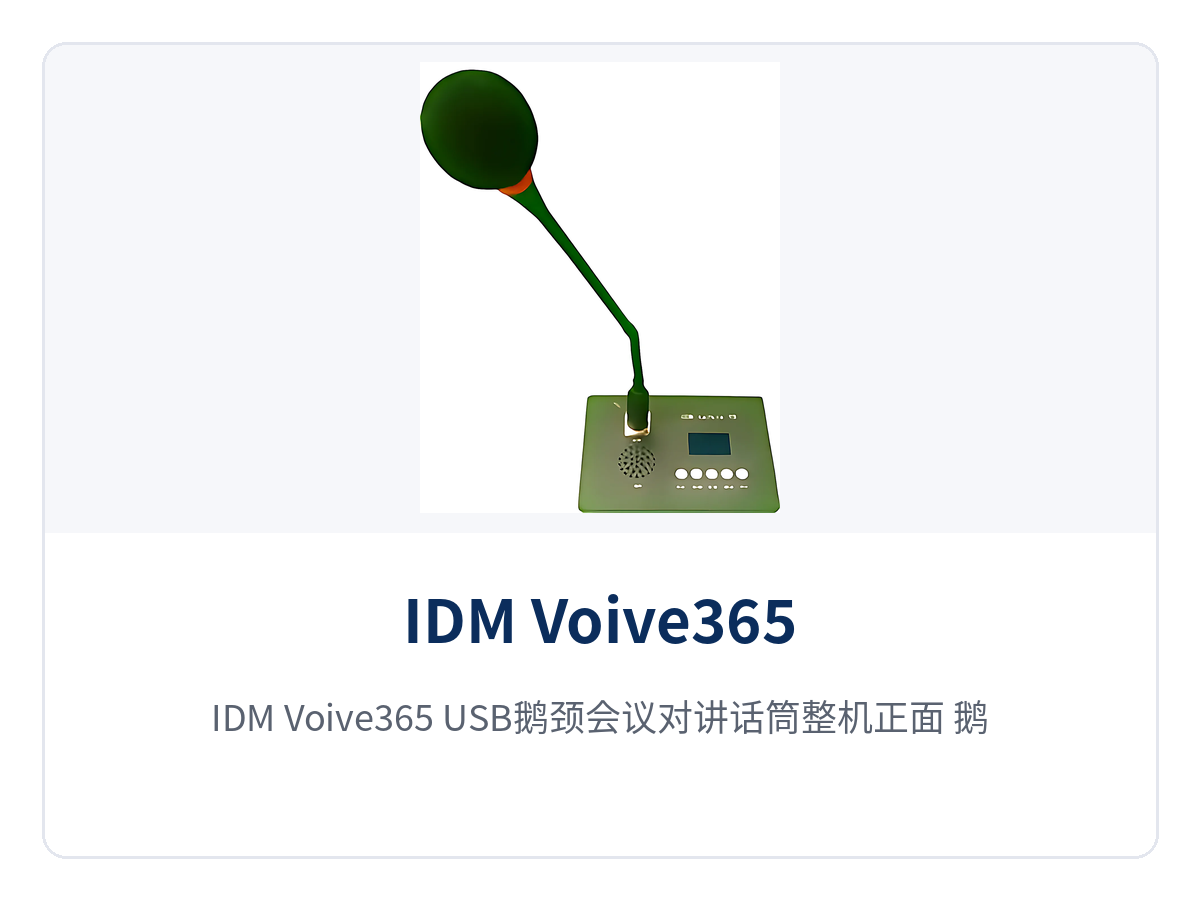
Figure 1: Front View of the IDM Voive365 USB Gooseneck Conference Intercom Microphone, Close-Up of the Gooseneck Microphone Boom, Function Key Panel and Floating Base
What Kind of Device Is the USB Gooseneck Conference Intercom Microphone, and Which Desktop Problems Does It Solve?
The USB Gooseneck Conference Intercom Microphone is a desktop audio pickup and dispatch intercom terminal that can be used as soon as it is plugged into a computer's USB interface. On one side of the body is a highly directional gooseneck microphone boom, which feeds high-fidelity audio pickup signals into the USB channel; on the other side are voice control keys, which convert key states into serial port signals sent to the host via USB, or into in-band voice signaling. These two channels handle audio pickup backhaul and signaling management respectively, so there is one less audio cable and one less control box on the desktop.
As a desktop intercom terminal, the panel of the IDM Voive365 USB Gooseneck Conference Intercom Microphone is laid out according to the golden ratio, with densely arranged buttons and large key surfaces for easy operation; the surrounding floating design allows interfaces to be hidden on the desktop and also facilitates flush mounting into the desktop. The device is powered through the USB interface and requires no external power adapter; a single USB cable completes both power supply and data backhaul.
Key Specifications and Technical Specifications
| Item | Parameter/Specification | Description/Applicable Conditions |
|---|---|---|
| Power Supply Mode | USB interface power supply, DC5V/0.5A | No external power adapter, plug-and-play, no desktop cabling |
| Audio Pickup Unit | Highly directional gooseneck microphone boom | Provides high-quality audio pickup with strong directionality |
| Local Sound Output | Built-in power amplifier and 3W speaker | The standalone unit can be used directly as an intercom terminal without an external speaker |
| Control Port | RS232 serial port, baud rate 9600 | Exchanges data commands with the host to distinguish PTT switch on/off states |
| In-Band Signaling | DTMF and FSK | Exchanges signaling with audio servers and audio terminals; can detect off-hook tones, on-hook tones and busy tones |
| USB Expansion | 2 USB expansion interfaces | Can connect a mouse, keyboard and USB camera |
| Expansion Serial Ports | Up to 2 serial ports | Used to connect external devices |
| Headset Jack | 3.5mm audio headset jack | Multiple users can communicate in one environment without communication interference |
| Parameter Storage | EEPROM | Stores configurations such as whether the PTT button is latching and whether the device directly dials the intercom group number at power-on |
| Networks and Protocols | Supports H.323, SIP and webRTC | Can connect different terminal devices such as conference room and desktop terminals, enabling cross-network-segment connection between servers and terminals |
Which Devices Can One Microphone Replace? Function Overview
| Function | Description |
|---|---|
| USB Audio Channel | Provides a USB-powered audio channel, supporting volume up/down, microphone mute and speaker mute |
| Radio Set and Two-Way Radio Intercom Access | Supports access of analog/digital two-way radios and radio sets of different standards, with COR signal auto-detection and voice gain custom recognition functions |
| RS232 Control | Communicates with the main unit through the RS232 channel and sends data commands to distinguish PTT switch on/off states |
| In-Band Voice Signaling | DTMF and FSK signaling shared with the voice channel, exchanging signaling with audio servers and audio terminals and detecting off-hook tones, on-hook tones and busy tones |
| Configuration Storage | EEPROM stores host configuration data, such as whether the PTT button is latching and whether the device directly dials the intercom group number after power-on |
| End-to-End Intercom | Works with the host and SIP server to implement end-to-end intercom, audio conferencing and PTT intercom, supporting cross-network-segment connection between servers and terminals |
| WebRTC Conferencing | Works with the webRTC server to implement audio and video conferencing |
| Local Sound Output | Built-in power amplifier and 3W local speaker, can be used directly as an intercom terminal |
| Headset Access | 3.5mm audio headset jack, allowing multiple users to communicate in one environment without communication interference |
| Secondary Development | Provides development command interfaces for easy integration into more system applications |
Differentiated Value: Saving Cabling, Saving Peripherals, Cross-Network-Segment Signaling Intercommunication
The differentiated capability of the IDM Voive365 USB Gooseneck Conference Intercom Microphone is concentrated in three points, which correspond to three types of on-site requirements: saving cabling in desktop deployment, saving peripherals in operator seat configuration, and unified centralized management of terminals of different standards. A single USB cable for power supply solves the desktop cabling-free and power supply issues, the built-in power amplifier and speaker solve the sound output issue of a standalone unit, and in-band signaling and RS232 solve the signaling intercommunication issues across network segments and standards. The table below compares each differentiation point with its customer value.
| Differentiation Point | Customer Value |
|---|---|
| USB plug-and-play with no external power supply, DC5V/0.5A, zero desktop cabling for deployment | No power outlet needs to be reserved on the desktop; one USB cable supplies power and carries data at the same time, reducing both deployment time and points of failure |
| Built-in 3W power amplifier and speaker; the standalone unit works as an intercom terminal, eliminating the external speaker | A standalone unit can output sound for intercom, saving an external speaker and one audio cable, making operator seat layout simpler |
| In-band DTMF/FSK signaling + RS232, compatible with SIP/WebRTC cross-network-segment intercommunication | Buttons and signaling reach the terminal directly along the voice channel; servers and terminals can be on different network segments, bringing radio sets, two-way radios and SIP/WebRTC terminals into the same dispatch network |
How Does One USB Cable Make Desktop Deployment Work?
On-site deployment of the IDM Voive365 USB Gooseneck Conference Intercom Microphone revolves around a single USB cable; there is no need to modify the power or low-voltage wiring on the desktop, nor to run extra cabling for a speaker. The following points are to be checked one by one during integration and acceptance:
- Access: plug the microphone into the USB interface of a computer or dispatch host; the device is powered by the single USB cable, requires no external power adapter, and needs no desktop cabling;
- Expansion: the body provides 2 USB expansion interfaces for connecting a mouse, keyboard and USB camera, so desktop peripherals no longer need to find their own interfaces;
- Headset: a 3.5mm audio headset jack allows multiple users to communicate in one environment without communication interference, and one headset can be provided per operator seat;
- Serial port: the RS232 control port (baud rate 9600) exchanges data commands with the host to distinguish PTT switch on/off states;
- Configuration: EEPROM stores host configuration data, such as whether the PTT button is latching and whether the device directly dials the intercom group number after power-on, so it can be pre-set in advance for batch deployment.
Typical Application Scenarios
Industrial Private Network Dispatch and Command Center
Call handling at an industrial private network dispatch and command center is concentrated at desktop operator seats. The USB Gooseneck Conference Intercom Microphone can be used as soon as it is plugged into the USB port of the dispatch host; the built-in 3W speaker allows dispatchers to monitor and talk without wearing headphones, while the 3.5mm headset jack allows multiple people in the same room to talk without affecting each other's communication. In-band DTMF/FSK signaling sends button states to the dispatch console and detects line signal tones such as off-hook tones, on-hook tones and busy tones, so intercom, conference and telephone signaling at the seat are all collected in one desktop dispatch terminal.
SIP and WebRTC Audio and Video Conferencing System Integrators
For SIP and WebRTC audio and video conferencing system integrators, a power-free, plug-and-play USB intercom terminal means no power outlet needs to be reserved on the desktop; one USB cable completes both power supply and data backhaul, and temporary seats in conference rooms can also be set up quickly.
On the protocol side, the device supports different networks such as H.323, SIP and webRTC and can connect different terminal devices such as conference room and desktop terminals, while servers and terminals can be on different network segments. Working with the host and SIP server, it implements end-to-end intercom, audio conferencing and PTT intercom; working with the webRTC server, it implements audio and video conferencing, while retaining development command interfaces for secondary integration into industry conference and dispatching platforms.
Radio Set and Two-Way Radio Interconnection Scenarios
In radio set and two-way radio interconnection scenarios, the differences in standards between analog/digital two-way radios and radio sets often have to be leveled by intermediate devices, and the USB Gooseneck Conference Intercom Microphone can access analog/digital two-way radios and radio sets of different standards.
The device features COR signal auto-detection and voice gain custom recognition, and supports connection to radio sets with COR and VOX detection, bringing half-duplex radio sets and two-way radios and full-duplex SIP telephone conference calls on IP phones into the same dispatch network. Voice and PTT states on the two-way radio and radio set side enter the host through USB and in-band signaling, so dispatchers can complete single-microphone access of analog and digital radio sets right on the desktop.