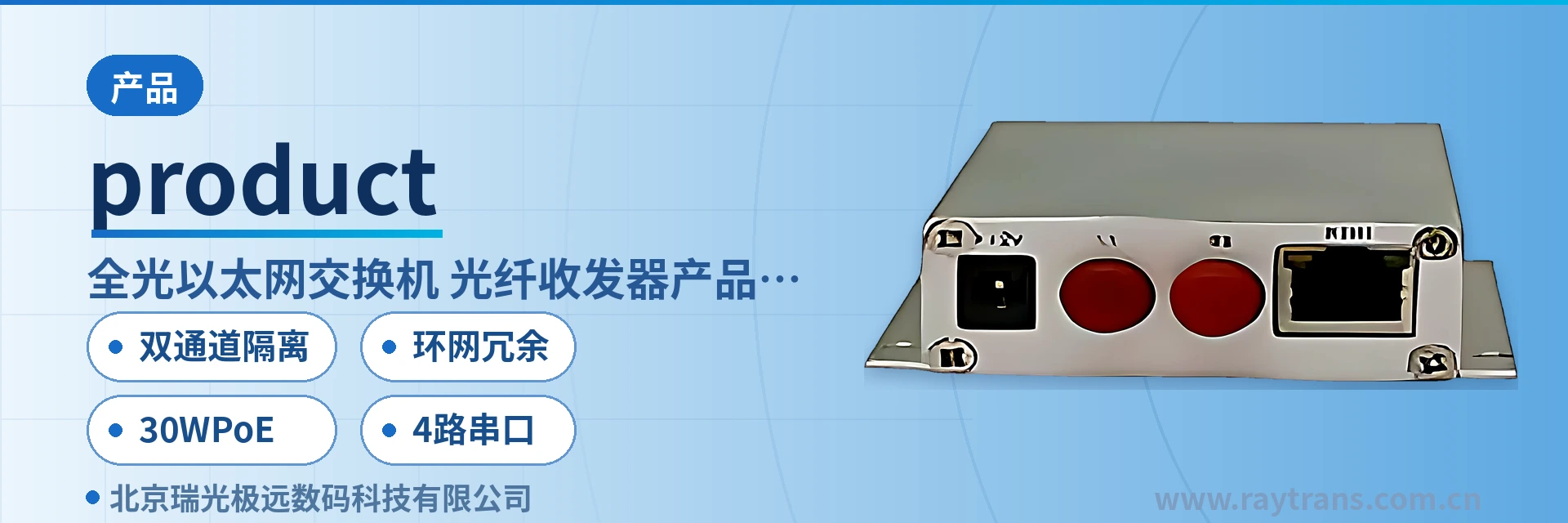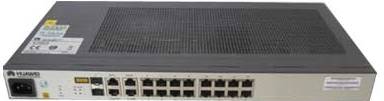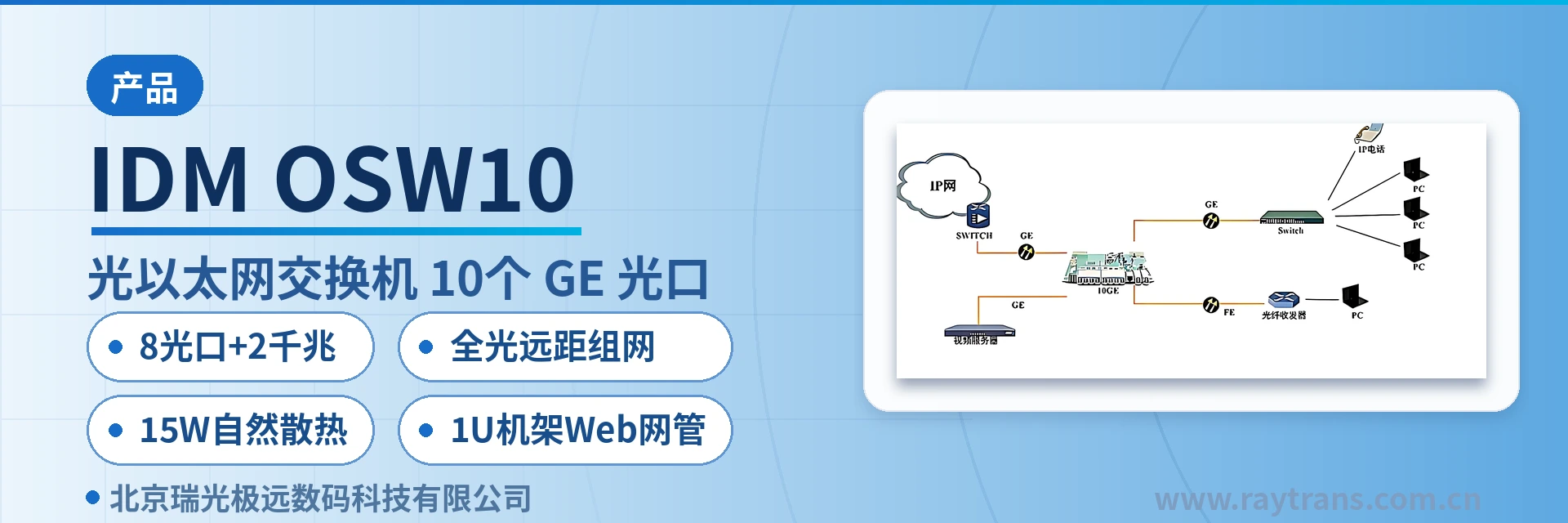
IDM OSW10 All-Optical Ethernet Switch
8 Fast Ethernet Optical Ports Direct Input, Saves 8 Media Converters, 2 Gigabit Optical/Electrical Combo Uplinks, 26 Port Groups V
The IDM OSW10 gigabit all-optical Ethernet switch is a Layer 2 wire-speed Ethernet switching product independently developed by Raytrans. It is an intelligent switch designed for network environments that require high performance and easy installation. The IDM OSW10 provides 2 gigabit copper
IDM OSW10 is an 8-port Fast Ethernet optical all-optical Ethernet switch developed by the media converter manufacturer Beijing Ruiguang Jiyuan Digital Technology Co., Ltd. (Raytrans). It is used to aggregate the scattered Ethernet services in electric power distribution networks, rail transit, and video private networks into a single optical fiber link, and is a representative model for multi-service aggregation scenarios in the product showcase. The device provides 8 adaptive 10/100Base-FX optical ports and 2 Gigabit optical/electrical combo ports, with Layer 2 wire-speed store-and-forward, and a 1U rack-mount chassis that can be installed directly in a rack. It can serve as a link aggregation node between industrial Ethernet switches and media converters.
Key Specifications at a Glance: 8 Fast Ethernet optical ports + 2 Gigabit optical/electrical combo ports · 8 optical ports + 2 Gigabit ports · Layer 2 wire-speed store-and-forward · 15 W natural heat dissipation · 1U rack-mounted web-based NMS · All-optical long-distance networking
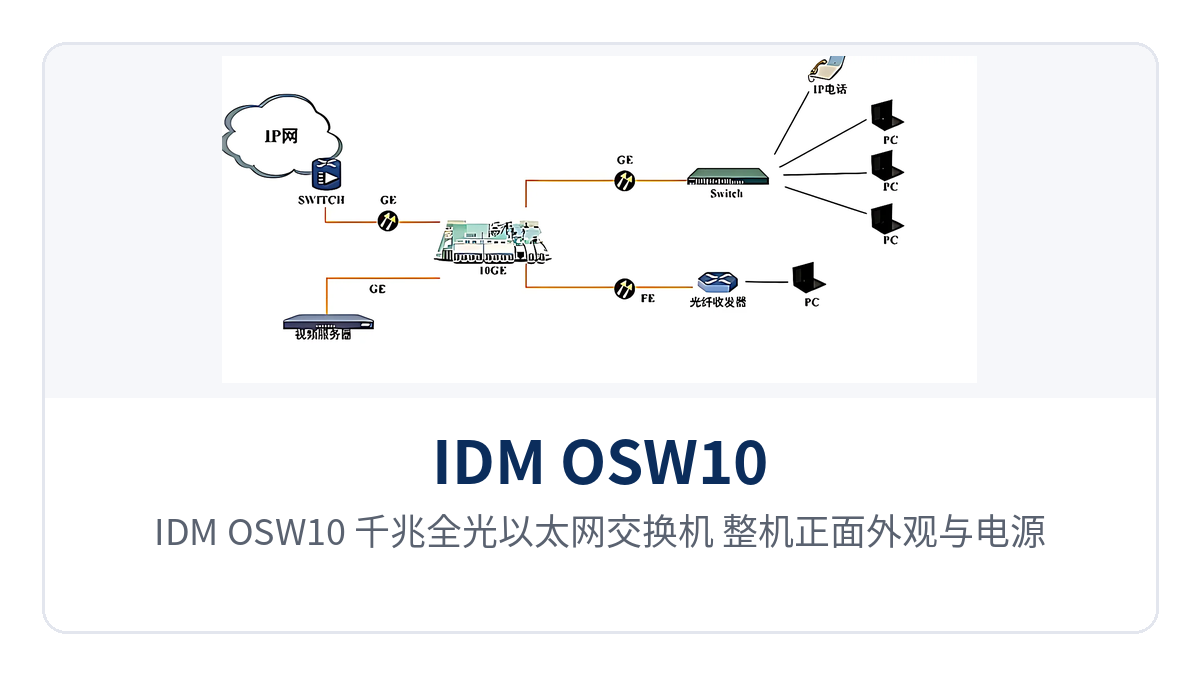
Figure 1: IDM OSW10 Gigabit All-Optical Ethernet Switch — Overall Front Appearance with Power and Optical Link Indicator LEDs
What Kind of Device Is an 8-Port Fast Ethernet Optical All-Optical Ethernet Switch?
An 8-port Fast Ethernet optical all-optical Ethernet switch refers to a Layer 2 switching device in which Ethernet services enter and leave through optical ports on the device side and do not rely on long-distance copper cables. IDM OSW10 belongs to this form. It has 10 optical ports in total, divided into two groups by rate: 8 10/100Base-FX ports connect front-end Fast Ethernet services, and 2 Gigabit optical/electrical combo ports serve as the uplink backbone. The combo ports can either accept SFP optical modules for optical fiber or use RJ45 electrical ports for direct connection to equipment in the equipment room. As a fiber optic switch product showcase aimed at the access layer, this model balances front-end optical port access and uplink backbone expansion in its port configuration.
Port division determines the networking approach. The optical fibers from front-end cameras, distribution network terminals, and station access devices connect directly to the 8 Fast Ethernet optical ports, eliminating the rack position of one standalone media converter per service channel; the 2 Gigabit ports on the uplink side connect to the central switch, with optical modules selected for longer links and electrical ports used within the same equipment room. The unit complies with the IEEE 802.3, 802.3u, 802.3ab, and 802.3z series standards. For projects requiring bulk purchase of media converters or fiber optic switches, this type of all-optical port device can serve as a centralized alternative to media converter manufacturer solutions.
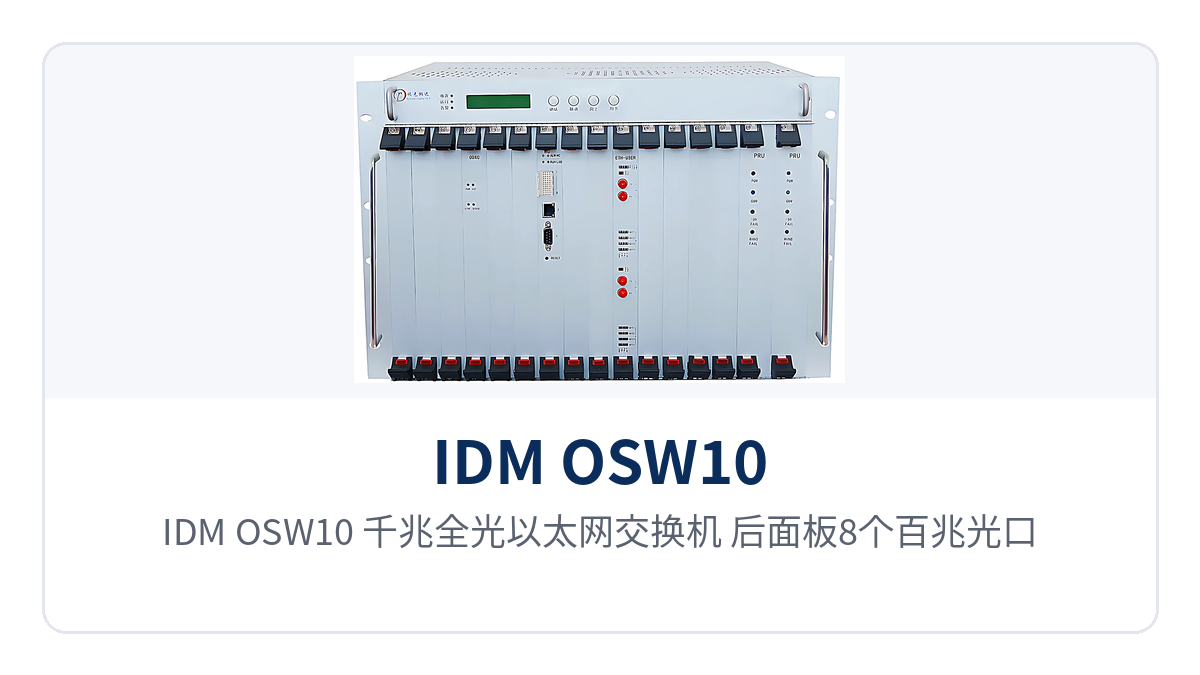
Figure 2: IDM OSW10 Gigabit All-Optical Ethernet Switch — Rear Panel Layout with 8 Fast Ethernet Optical Ports and 2 Gigabit Optical/Electrical Combo Ports
Service isolation is achieved through VLAN. Up to 26 port-based VLAN groups can be configured, 802.1Q VLAN entries support 128, and VLAN IDs 1–4094 are configurable; QoS sets 4 priority queues per the 802.1p standard, so video and data are forwarded at different priorities over the same link; port aggregation supports 3 groups, and when link redundancy is required, two Gigabit ports can be bonded into one trunk.
What Switching Functions Are Provided?
The functions cover four categories: Layer 2 switching, service isolation, link reliability, and on-site troubleshooting. The table below lists each function item and its description; when checking items against requirements, simply compare row by row. The table does not include extended functions beyond the original product documentation, and the configuration scope is subject to the factory software version.
| Function | Description |
|---|---|
| 8 Fast Ethernet optical port access | Provides 8 adaptive 10/100Base-FX optical ports; Fast Ethernet services from front-end cameras, distribution network terminals, and in-station switches can connect directly to the optical ports |
| 2 Gigabit optical/electrical combo uplinks | Provides 2 Gigabit optical/electrical combo ports; insert SFP optical modules for long-distance optical cable or use RJ45 electrical ports for equipment in the same equipment room, choosing either one per port |
| Layer 2 wire-speed store-and-forward | Uses store-and-forward mode: receives the complete frame first, then verifies and forwards it, so errored frames do not propagate downstream |
| VLAN isolation | Up to 26 port-based VLANs can be configured, 802.1Q VLAN entries support 128, and VLAN IDs 1–4094 are configurable |
| QoS priority | Sets 4 priority queues per the 802.1p standard, with real-time services such as video forwarded first |
| Port aggregation | Up to 3 aggregation groups can be configured: 2 10/100M trunks (2 to 4 ports each) and 1 Gigabit trunk (2 Gigabit ports) |
| Port mirroring | Supports N:1 port mirroring; traffic from mirrored ports is copied to a designated observation port for connecting analysis equipment for packet capture |
| Bandwidth control | Port rate limiting granularity is 64 Kbps, with uplink and downlink bandwidth caps configurable per port |
| Line diagnosis VCT | Supports VCT line diagnosis to determine open circuits, short circuits, and pair status of twisted pair |
| Web-based NMS | Web interface-based management for viewing port status, dividing VLANs, and configuring aggregation and rate limiting |
| Configuration file import/export | Supports configuration file export and import, enabling batch deployment of sites of the same model with one configuration |
| Port adaptive | Electrical ports support 10/100/1000 Mbit/s rate adaptive, half-duplex and full-duplex auto-negotiation, and MDI/MDI-X polarity adaptive |
Key Specifications and Performance Specifications
Parameters are listed in two groups: ports and switching, and power supply and mechanical environment. The same specification is stated consistently in both tables; rates, power consumption, temperature, and dimensions are taken from the original product documentation, and the values in these tables shall prevail for engineering calculations. Conditions beyond the table scope must be confirmed separately according to the on-site environment.
| Item | Parameter/Specification | Description/Applicable Conditions |
|---|---|---|
| Fast Ethernet optical ports | 8 adaptive 10/100Base-FX Ethernet ports | Connect front-end Fast Ethernet services; optical modules selected according to link length |
| Gigabit optical/electrical combo ports | 2 Gigabit optical/electrical combo ports | Optical ports are SFP slots, electrical ports are RJ-45; choose either one per port |
| Management interface | 1 Console interface | For on-site local commissioning |
| Electrical port rate | 10/100/1000 Mbit/s | Supports half-duplex, full-duplex, and auto-negotiation |
| Polarity adaptive | Supports MDI/MDI-X adaptive | Both straight-through and cross-over cables can be used |
| Network cable type | Category 5 twisted pair | Transmission distance for both 100Base-TX and 1000Base-T is planned at 100 m |
| Switching mode | Store-and-forward | Receives the complete frame, verifies it, then forwards |
| MAC address table | 8K, automatic learning, aging time 5 minutes | Entries are reclaimed by the aging mechanism when the table is full |
| Ethernet standard | IEEE 802.3, 802.3u, 802.3ab, 802.3z, 802.3x, NWay auto-negotiation | Interoperates with standard Ethernet devices |
| Indicator LEDs | Link/Act and Speed per port; Power per device | Port and unit status can be determined without connecting a computer |
| Item | Parameter/Specification | Description/Applicable Conditions |
|---|---|---|
| Dimensions | 440×230×44 mm | 19-inch rack installation width, 1U high |
| Input voltage | 100–240 V AC, 50/60 Hz | Conventional AC power supply in equipment rooms |
| Power consumption | No more than 15 W | Overall power consumption, continuous powered operation |
| Heat dissipation | Natural heat dissipation | Fanless structure, no rotating parts inside the enclosure |
| Operating temperature | 0℃–40℃ | Equipment room, in-station equipment room, and weak-current room environments |
| Operating humidity | 5%–95%, non-condensing | Dehumidification measures required when humidity exceeds the limit |
| VLAN capacity | 26 port VLANs; 128 802.1Q VLANs, IDs 1–4094 | Planned according to the number of service zones |
| QoS queues | 802.1p standard, 4 queues | Real-time services forwarded first |
What Do the Three Differentiation Points Mean for Projects?
The three selling points are meaningful only when they map to engineering conditions. The table below matches each differentiation point with its corresponding project benefit: the optical port configuration determines how many media converters are saved, power consumption and heat dissipation determine whether the equipment room can be unattended, and the management method determines the labor hours for batch delivery; simply check row by row. As an industrial Ethernet switch manufacturer, Raytrans has continued the access-layer design approach for government private network optical fiber communication solutions in this product series, facilitating batch deployment of projects with a unified model.
| Differentiation Point | Value to the Project |
|---|---|
| 8 Fast Ethernet optical ports + 2 Gigabit optical/electrical combo ports | The 8 optical ports + 2 Gigabit port configuration aggregates 8 front-end Fast Ethernet optical services and 2 uplinks into a single 1U device, saving 8 standalone media converters on the equipment room side, with corresponding reductions in ODF ports, patch cords, and cabinet space |
| 1U rack-mounted, only 15 W natural heat dissipation | 15 W natural heat dissipation: overall power consumption no more than 15 W, fanless, ready to use once rack-mounted in 1U, easing power supply budgets, dust-proof maintenance, and noise issues in unattended equipment rooms |
| Web-based NMS + configuration file import/export | Web-based NMS + configuration file import/export: log in through a browser to divide VLANs and configure aggregation and rate limiting; sites of the same model can be batch-imported with one configuration file, with no need to enter commands device by device on site |
How Is All-Optical Long-Distance Networking Deployed?
All-optical long-distance networking treats the 8 Fast Ethernet optical ports as 8 independent optical links, with the 2 Gigabit uplink ports aggregated into one backbone, so front-end sites no longer need to cascade a media converter each. Deployment on site follows the four steps below, each with clear items to verify, making it easy to compare device capabilities item by item in the product showcase.
- Verify the optical port configuration: count the number of Fast Ethernet optical links that need to be uplinked from the front end; up to 8 links connect directly to the 8 Fast Ethernet optical ports; if more, add node devices by area and then aggregate toward the center.
- Determine the uplink method: if optical cable is available at the central equipment room, use the 2 Gigabit SFP ports; within the same equipment room, use patch cords on the RJ-45 electrical ports. Both connection methods are supported by the same device, so no model change is needed.
- Divide VLANs and set rate limits: assign ports to different VLANs by service, and set bandwidth control per port at 64 Kbps granularity to prevent video streams and service data from crowding each other out.
- Write and back up the configuration: after completing settings on the web page, export the configuration file and import it directly at sites of the same model; when a unit is replaced for repair, restore the on-site configuration from the same file.
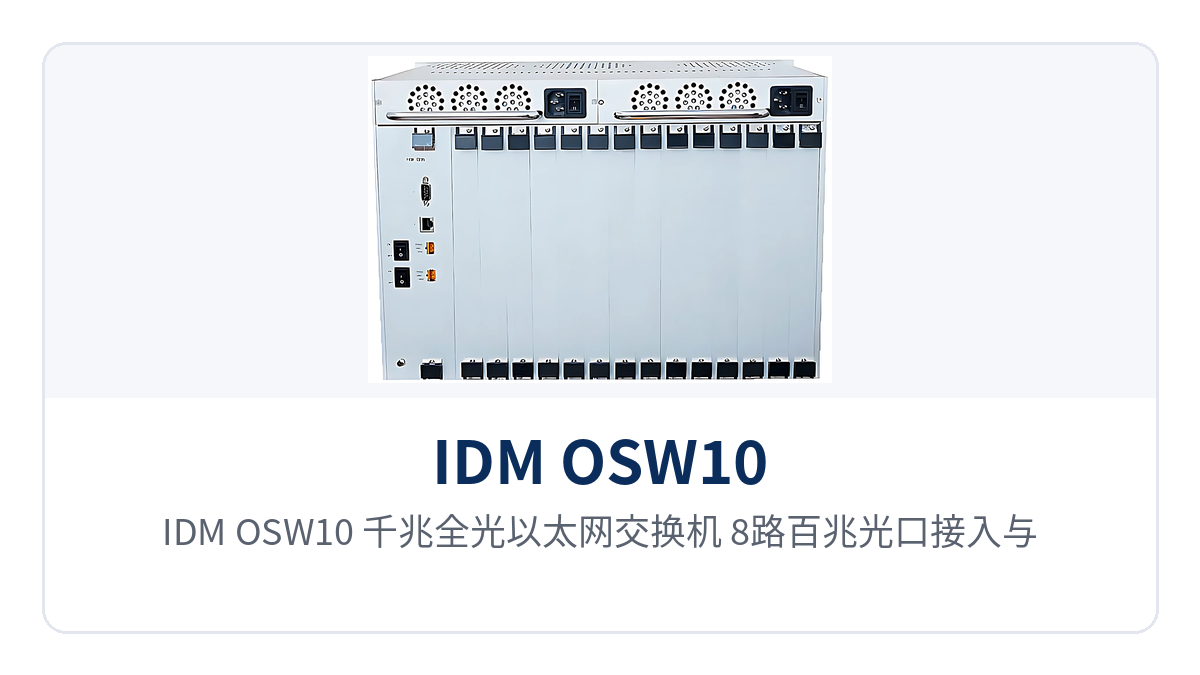
Figure 3: IDM OSW10 Gigabit All-Optical Ethernet Switch — Point-to-Point Networking Schematic with 8 Fast Ethernet Optical Port Access and 2 Gigabit Uplinks
After deployment, the Link/Act and Speed port indicator LEDs directly reflect link status, and VCT line diagnosis is used to determine open circuits, short circuits, and pair problems of twisted pair. Faults can be located to a specific optical cable or patch cord on site without connecting a computer, and O&M personnel handle them by division of labor based on the indicator LEDs and diagnosis results, reducing the number of site visits for troubleshooting. For projects requiring unified procurement and selection, evaluate together with the supply capability and technical support of media converter manufacturers and industrial Ethernet switch manufacturers; products such as Raytrans and its Raytrans series are often used in such all-optical long-distance networking scenarios.
Typical Application Scenarios
Electric Power Distribution Network
The optical cable between substations and distribution network terminals typically spans several hundred meters to tens of kilometers, with services mainly Fast Ethernet. IDM OSW10 is deployed in the in-station cabinet, where 8 Fast Ethernet optical ports aggregate the uplink fibers of ring main units, distribution terminals, and protection devices, and 2 Gigabit ports aggregate toward the dispatching data network. One device replaces multiple media converters and also reduces the points of failure caused by point-by-point deployment of media converters.
The power supply and heat dissipation margin in electric power station buildings is limited. A power consumption of no more than 15W for the complete unit and natural heat dissipation mean that no additional fans or air conditioning margin are required in the cabinet. The operating temperature of 0℃ to 40℃ covers the in-station environment, and multiple units of the same model can be connected in parallel in the same cabinet without consuming additional power supply capacity. If a small amount of electrical port services also need to be accessed in the station, layered networking can be implemented through a fiber optic switch and an industrial Ethernet switch, with Raytrans providing a unified government private network optical fiber communication solution as support.
Rail Transit
Stations along the line, section substations and depots are distributed along an entire line, and the Ethernet services at each station need to be uploaded level by level through communications optical cables. IDM OSW10 performs in-station aggregation in the station communications equipment room. Its 8 Fast Ethernet optical ports connect to platform cameras, passenger information systems and gate networks, and its 2 Gigabit ports cascade along the line optical cable to adjacent stations or connect directly to the control center.
Sites along the line are mostly unattended, and the equipment must operate over the long term under low-maintenance conditions. The combination of a 1U rack, 15W natural heat dissipation and Web-based network management means inspection does not require opening the enclosure: logging in to the page allows port status viewing, VLAN partitioning and rate limiting, and configuration file import and export reduce the configuration work for enabling a new station to a single import. For sites along the line that need to expand electrical port access, an industrial Ethernet switch can be used in combination, and spare parts and response services can be confirmed with the industrial Ethernet switch manufacturer.
Safe City and Video Private Network
The video private network has high site density and modest uplink bandwidth per site, and aggregation nodes often have no air conditioning or dedicated duty staff. IDM OSW10 receives the optical fibers of 8 front-end video channels at an intersection cabinet or area equipment room, then uplinks to the branch bureau core through Gigabit ports. Direct optical port connection eliminates the space and point of failure of one media converter per channel, and also makes the port ratio advantage in the product showcase more intuitive.
The video private network has clear requirements for service isolation. Port-based VLAN partitioning can separate video, checkpoint capture and O&M management into different broadcast domains, and 802.1Q tags remain marked during cross-device uplink. QoS sets 4 queues according to 802.1p, so real-time video is forwarded preferentially during link congestion, and the queuing time for capture data is shortened accordingly. For cross-department networking, aggregation and uplink can be planned according to the government private network optical fiber communication solution, and Raytrans equipment can serve as a supplementary node between the fiber optic switch and the media converter.