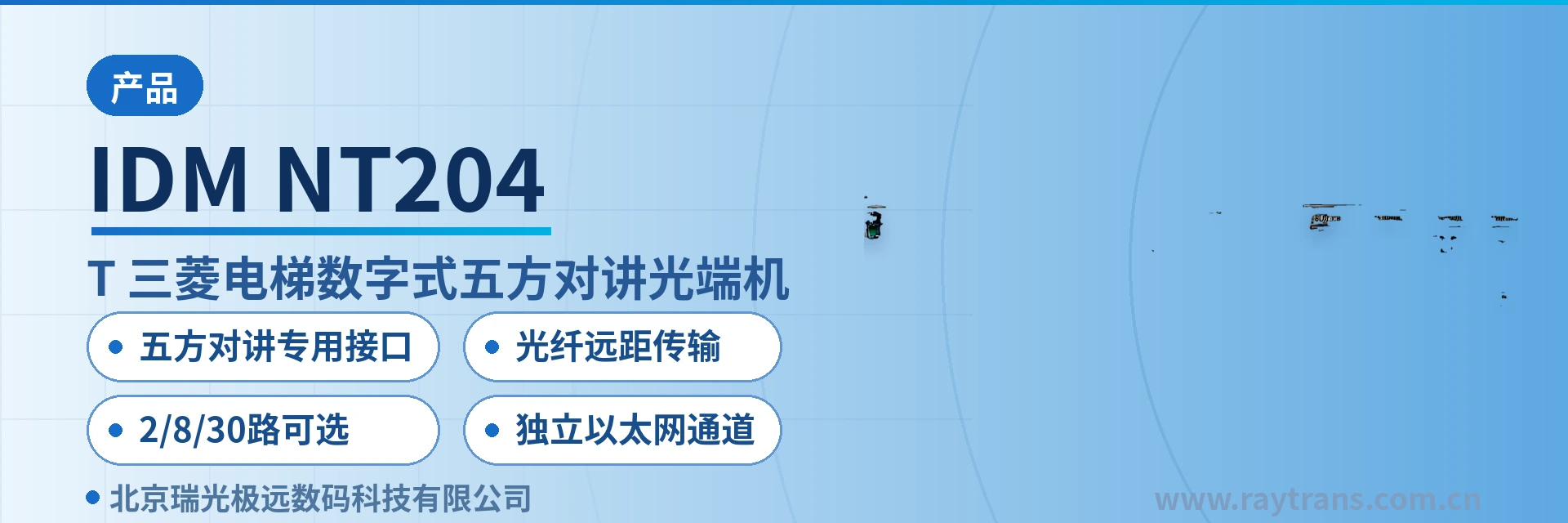
IDM NT204 DT Mitsubishi Elevator Five-Party Intercom Optical Multiplexer
Dedicated interface card matches digital signaling; 2-channel paired optical fiber extension; no GSM monthly fee
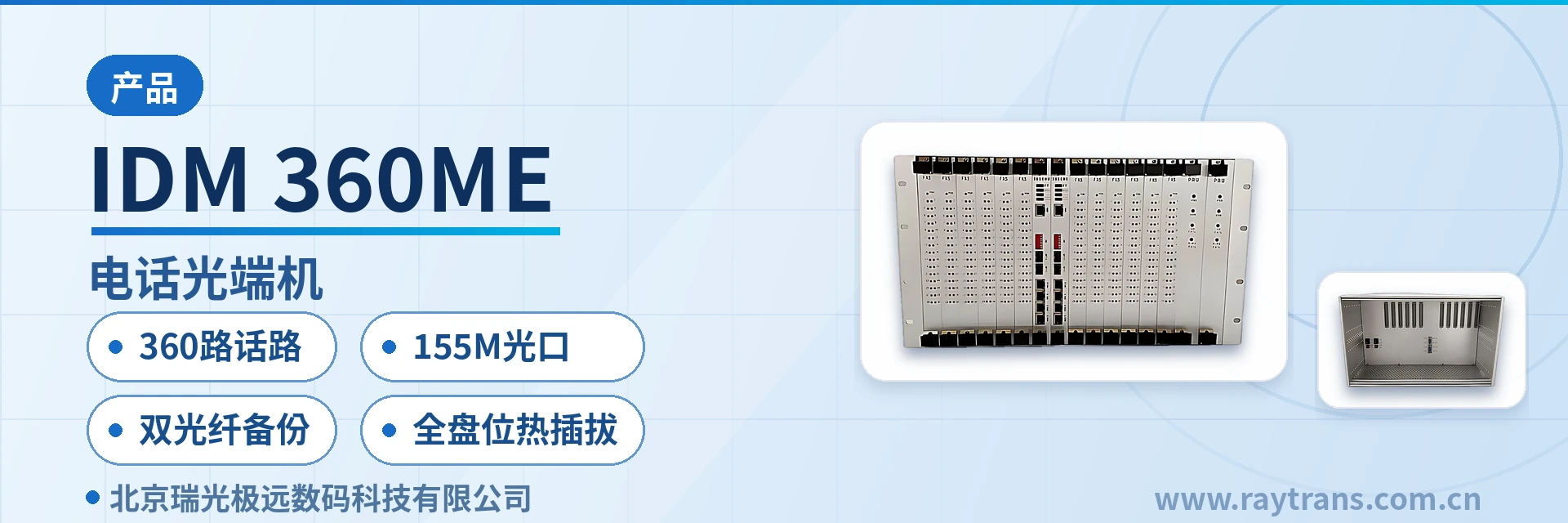
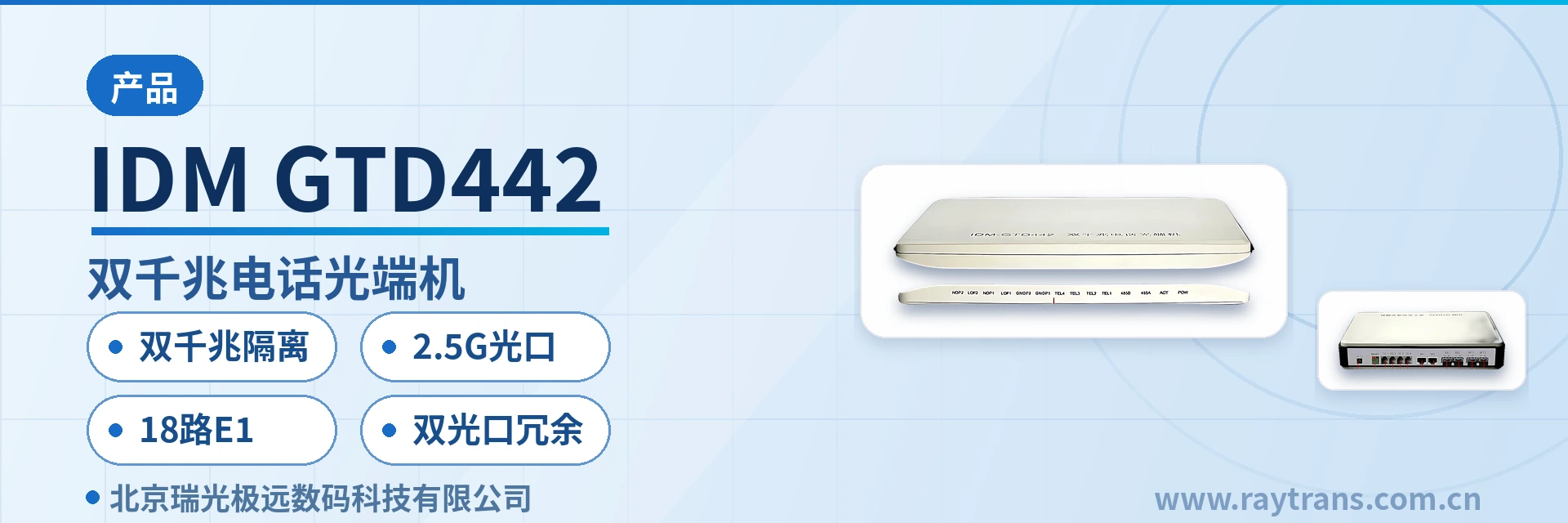
The IDM NT204 (DT) Mitsubishi elevator digital five-party intercom optical multiplexer provides a dedicated digital five-party intercom interface card that can match the signaling of five-party intercom units, enabling five-party communication among the central office, machine room, elevator car, car top and pit. Five-party intercom optical multiplexers include the 2-channel IDM NT204 (DT), the 8-channel IDM ENT448 (DT), the 30-channel IDM 30EN (DT), and so on. They meet the signal transmission requirements from elevator group machine rooms of different capacities to the central office monitoring room, and are also suitable for fiber access transmission in monitoring room relocation and consolidation.
The IDM NT204 (DT) Mitsubishi elevator digital five-party intercom optical multiplexer is an elevator intercom optical fiber transmission device developed by Beijing Ruiguang Jiyuan. It is a dedicated product launched by an optical multiplexer manufacturer for elevator scenarios, used to carry the five-party intercom voice and signaling between the elevator machine room and the central office monitoring room over optical fiber, forming a complete elevator five-party intercom optical fiber transmission solution. Five-party intercom covers five points: the duty room, elevator machine room, elevator car, car top and pit. As a residential community expands, the distance from the machine room to the monitoring room often exceeds the reach of twisted pair, so this link must change its transmission method and use an optical multiplexer for long-distance optical fiber transmission. This is also the common product showcase form in monitoring room relocation fiber access solutions.
Key Specifications at a Glance: 2 intercom channels · Dedicated five-party intercom interface · Long-distance optical fiber transmission · 2/8/30 channels optional · Independent Ethernet channel · Powered from the dedicated elevator power source
What Is a Mitsubishi Elevator Digital Five-Party Intercom Optical Multiplexer? How Does Five-Party Communication Run over Optical Fiber?
The Mitsubishi elevator digital five-party intercom optical multiplexer is a device that replaces the twisted pair link between the machine room and the monitoring room for elevator five-party intercom with an optical fiber link. One unit is installed on the machine room side and one on the monitoring room side, used in pairs. Voice from the three points of elevator car, car top and pit is first aggregated to the machine room via the elevator traveling cable, while the duty room side is cabled separately. The only voice and signaling that truly needs to cross the machine room is the segment between the master unit and the machine room. As a professional optical multiplexer manufacturer, Raytrans has launched this product for elevator scenarios, showcasing the core equipment of the five-party intercom optical fiber transmission solution.
The link upgrade only affects this cross-machine-room transmission segment. With one optical multiplexer installed in the machine room and one in the monitoring room and an optical cable laid between them, the original call, answer and alarm operation modes of the intercom at both ends remain unchanged. The duty operator still calls the elevator car, car top and pit in the same way, and the machine room side does not need to modify the elevator's original cabling for the upgrade.
Compared with switching to GSM mobile network transmission, an optical fiber link can be used long-term after a single laying and does not require monthly per-channel fees. The GSM approach is subject to the carrier's charging model; for projects with many elevators and long service life, long-term tariffs become a continuous expense. The optical fiber solution moves the investment forward to a one-time cabling, with only optical cable and equipment maintenance costs incurred afterward.
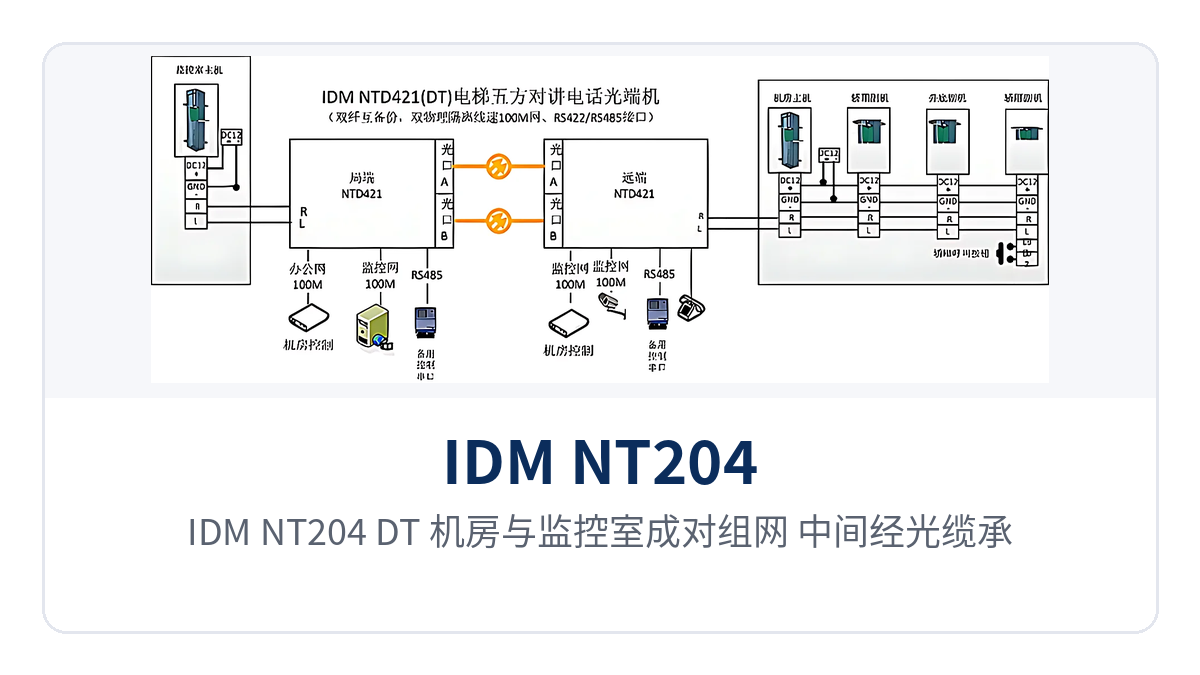
Figure 1: Point-to-point topology of the IDM NT204 (DT) with paired networking between the machine room and monitoring room, carrying five-party intercom voice and signaling over an optical cable in between
Why Can't an Ordinary Telephone Optical Multiplexer Connect to Mitsubishi Digital Five-Party Intercom?
An ordinary telephone optical multiplexer cannot directly connect to Mitsubishi elevator digital five-party intercom. Digital five-party intercom telephones work on a different principle from ordinary telephones. An ordinary telephone optical multiplexer is designed for the feed, ringing and voice of a telephone and cannot recognize the signaling format of a digital intercom; once connected, problems such as failed calls and hang-up not resetting are likely. The role of the dedicated five-party intercom interface card is precisely to match the digital intercom signaling and restore, at both ends of the optical fiber, the call states between the central office and the machine room, elevator car, car top and pit.
Matching Mitsubishi digital intercom signaling with a dedicated interface card is a step that an ordinary telephone optical multiplexer cannot replace. The device uses a paired point-to-point mode at both ends: the machine room side interface connects to the audio and signaling lines led out from the five-party intercom master unit, the monitoring room side interface connects to the duty master unit, and only one optical fiber link runs in between. The same device also provides an independent Ethernet channel that can carry the Ethernet service on the elevator car side along the same route.
The interface card is directly related to the on-site intercom equipment, so the following three items should be verified one by one before selection and installation. These three items correspond to the equipment format, the number of access channels and the on-site conditions. Verifying them clearly before issuing the configuration order avoids interface mismatch and repeated rework on site after the equipment arrives, and also facilitates later capacity expansion with the same format.
- Elevator brand and intercom model: The interfaces of Mitsubishi elevator digital systems differ from those of analog systems and other brands' systems, so the corresponding interface card must be configured according to the actual on-site format.
- Number of access channels at the monitoring room: Count according to the elevator sites the monitoring room needs to monitor simultaneously, and decide on a 2-channel, 8-channel or 30-channel device accordingly.
- Transmission and power supply access conditions: Confirm the optical cable route, the installation positions of the equipment at both ends and the power supply access point together. For power supply, use a dedicated power supply connected to the elevator power source.
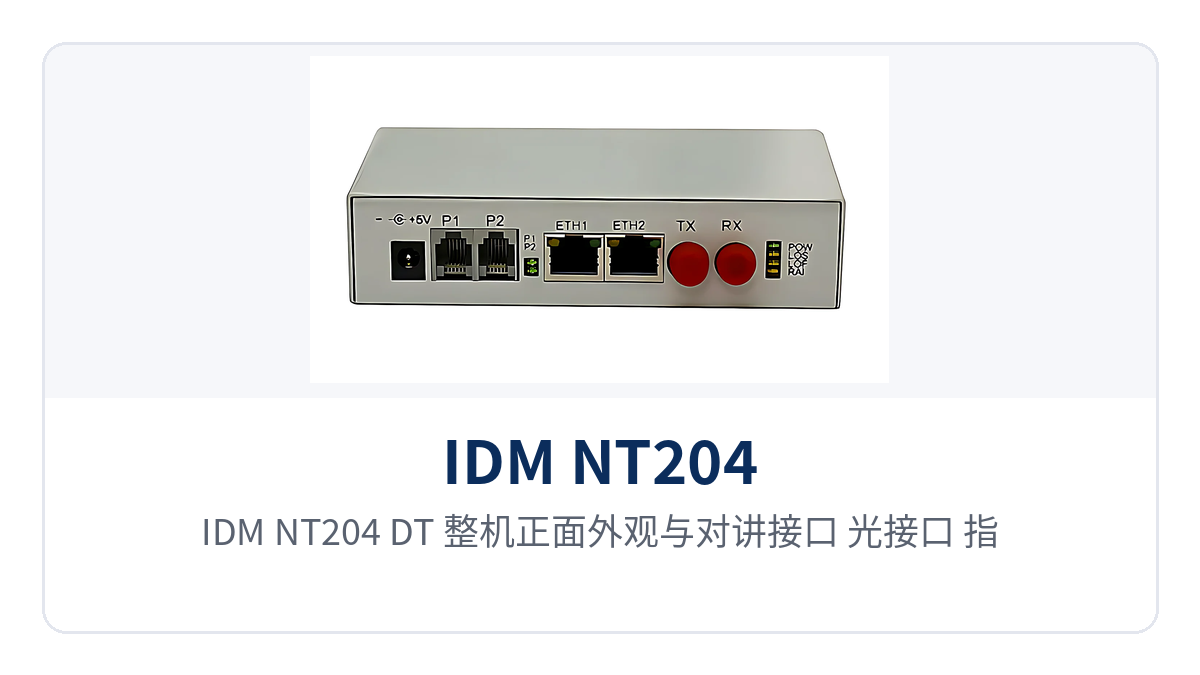
Figure 2: Close-up of the IDM NT204 (DT) front panel appearance and the layout of intercom interfaces, optical interfaces and indicator LEDs
How to Choose Between 2, 8 and 30 Channels? How to Configure Capacity for Different Elevator Groups
Five-party intercom optical multiplexers are graded by intercom capacity, with 2/8/30 channels optional, covering access requirements from a single elevator to a large group of elevators. For selection, first look at the number of elevator sites and the number of channels to be accessed on the monitoring room side, then at the intercom format, and finally reserve one capacity tier for later expansion, avoiding a second equipment replacement during phased construction of a residential community. The multi-service optical multiplexers in the same Raytrans series can be flexibly selected according to elevator group scale and are also convenient for unified networking with supporting equipment from media converter manufacturers.
| Model | Intercom Capacity | Application |
|---|---|---|
| IDM NT204 (DT) | 2 channels | Single or a small number of elevators, paired point-to-point optical fiber extension between the machine room and monitoring room |
| IDM ENT448 (DT) | 8 channels | Medium-capacity elevator groups, with multiple elevator intercoms aggregated in the machine room and sent to the monitoring room over one optical fiber |
| IDM 30EN (DT) | 30 channels | Large-capacity elevator groups, or centralized access when an existing elevator management center is relocated or merged |
When multiple elevators are managed centrally, multiple intercom signals can first be aggregated on the machine room side and then connected to an optical multiplexer or aggregation equipment, extending the elevator group intercom uniformly to the surveillance center. For projects involving monitoring room relocation or merger, the equipment is repositioned with the new machine room and both ends of the optical cable are re-terminated, so the intercom link can migrate together with the optical cable. The feature of multiple capacities (2/8/30 channels) also fits the differences between different elevator groups and monitoring room relocation and merger, making it a transmission segment worth prioritizing in monitoring room relocation fiber access solutions.
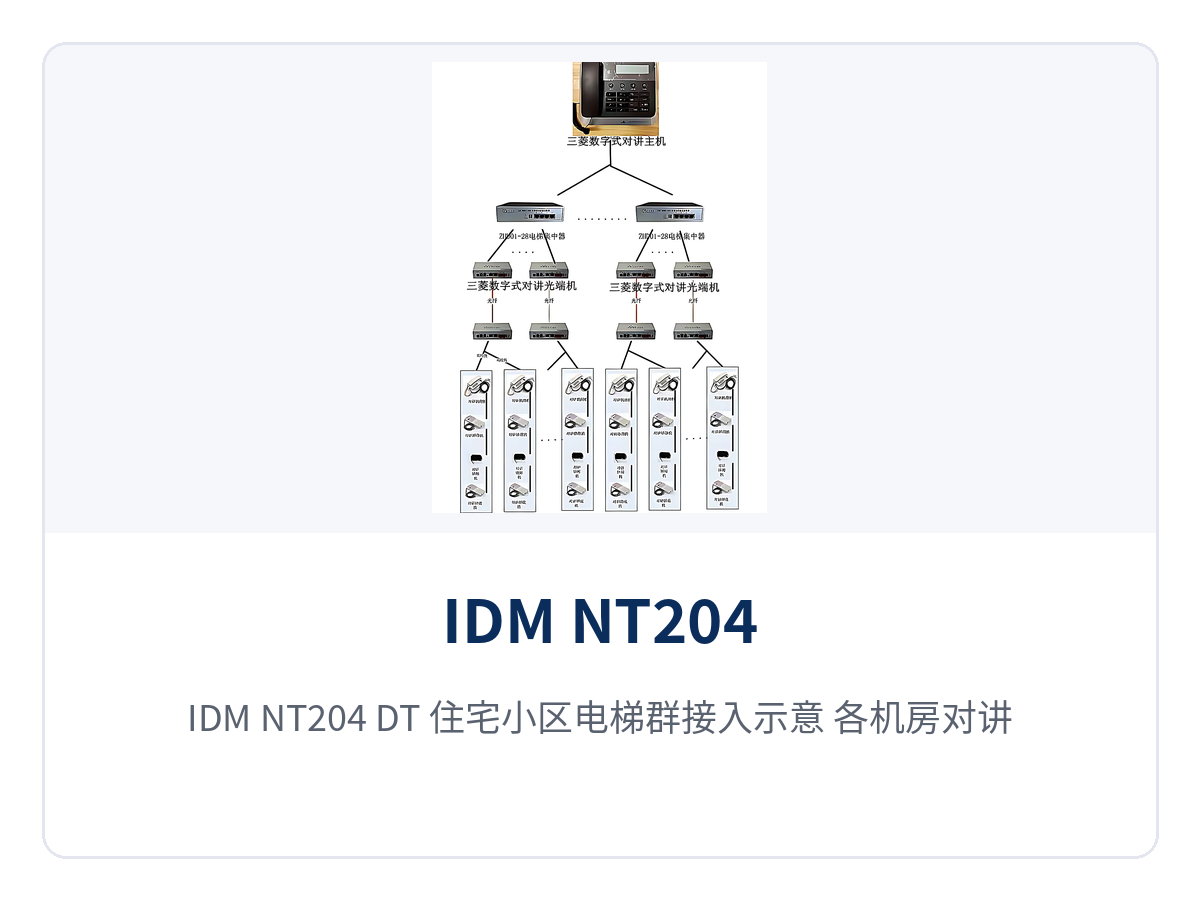
Figure 3: IDM NT204 (DT) residential community elevator group access diagram, with intercoms from each machine room converging into the property management monitoring room over optical fiber
What Are the Core Functions of the IDM NT204 (DT)?
The IDM NT204 (DT) is designed around the optical fiber transmission of Mitsubishi elevator digital five-party intercom, with functions covering four aspects: interface matching, voice channels, link extension and power supply access, listed item by item in the table below. The function items are arranged in the order of on-site concern, making it easy to verify the configuration against project requirements and to confirm together with the access mode on the monitoring room side.
| Function | Description |
|---|---|
| Dedicated five-party intercom interface | Built-in dedicated five-party intercom interface card, matching Mitsubishi elevator digital intercom signaling, beyond comparison with an ordinary telephone optical multiplexer |
| Digital signaling restoration | Restores call, answer and alarm states at both ends of the optical fiber, so the central office master unit can identify each point of the machine room, elevator car, car top and pit |
| 2 intercom channels | A single device accesses 2 elevator intercom voice channels, covering the five-party communication link of a single or a small number of elevators |
| Long-distance optical fiber transmission | Uses optical fiber instead of twisted pair to carry voice and signaling, so transmission is no longer constrained by twisted pair distance and adapts to deployment across buildings and across parks |
| Independent Ethernet channel | The device also provides an independent Ethernet channel that can carry the Ethernet service on the elevator car side along the same route, reducing duplicate cabling |
| Powered from the dedicated elevator power source | Uses a dedicated power supply connected to the elevator power source, with nearby power supply access on the machine room side, eliminating the need for separate power lines |
| Paired point-to-point networking | One unit each on the machine room side and the monitoring room side, used in pairs, with intercom enabled over a single optical fiber link in between |
| Multi-capacity series support | Part of the same series as the 8-channel IDM ENT448 (DT) and 30-channel IDM 30EN (DT), for selection by elevator group scale or tiered capacity expansion |
IDM NT204 (DT) Technical Specifications
The table below lists the main technical specifications of the IDM NT204 (DT) Mitsubishi elevator digital five-party intercom optical multiplexer, all of which are items required for equipment selection and on-site verification. Specific values not given in the product documentation (optical port rate, transmission distance, power consumption, operating temperature, etc.) are subject to the manufacturer's technical documentation and are not estimated in this article.
| Item | Parameter/Specification | Description/Applicable Conditions |
|---|---|---|
| Product name | IDM NT204 (DT) Mitsubishi elevator digital five-party intercom optical multiplexer | Dedicated equipment for elevator five-party intercom optical fiber transmission, 2-channel capacity |
| Application object | Mitsubishi elevator digital five-party intercom system | Used in pairs between the elevator machine room and the central office monitoring room |
| Intercom channels | 2 channels | The number of channels and interface format are subject to the manufacturer's technical documentation |
| Capacity series | 2-channel IDM NT204 (DT), 8-channel IDM ENT448 (DT), 30-channel IDM 30EN (DT), etc. | Meet signal transmission from the machine room to the central office monitoring room for elevator groups of different capacities |
| Transmission medium | Optical fiber | Replaces twisted pair for transmitting five-party intercom voice and signaling |
| Transmission distance | Determined by the optical module and line conditions | Specific specifications are subject to the manufacturer's technical documentation |
| Ethernet channel | Independent Ethernet channel | Bandwidth specifications are subject to the manufacturer's technical documentation |
| Power supply mode | Dedicated power supply connected to the elevator power source | Voltage range is subject to the manufacturer's technical documentation |
| Interface configuration | Intercom interface, optical interface | The intercom interface is configured with the corresponding interface card according to the on-site elevator brand and format |
| Installation method | Paired at both ends, point-to-point | One unit each on the machine room side and the monitoring room side |
| Operating environment | Elevator machine room, central office monitoring room | Temperature, humidity and other specifications are subject to the manufacturer's technical documentation |
How to Lay the Optical Fiber Link, Where to Get Power, and in What Order to Commission?
On-site implementation proceeds in three steps: the machine room side, the monitoring room side and the optical cable in between, with an additional aggregation step when multiple elevators are connected. Each step has corresponding items to verify; completing them in order before connecting the next segment makes it easier to locate problems than powering up the entire link at once. Retrofits of monitoring room relocation fiber access solutions for existing links that fail due to excessive distance follow the same three steps.
- Machine room side wiring: Connect the audio and signaling lines led out from the five-party intercom master unit to the device intercom interface. The interface card is configured according to the on-site format, and the wiring sequence is subject to the supplied wiring diagram and the optical multiplexer manufacturer's documentation.
- Monitoring room side wiring: The device at the other end is installed in the central office monitoring room, and the intercom interface connects to the duty master unit, so the duty operator can call and monitor each elevator site.
- Optical cable in between: Lay it along the weak-current shaft, cable tray or cable trunking, and connect it to the optical port after termination at both ends; the link is then ready to carry traffic.
- Aggregation of multiple elevators: On the machine room side, first aggregate multiple intercom signals through aggregation equipment, then connect to an optical multiplexer or aggregation equipment, avoiding extensive parallel connection on twisted pair.
- Power supply access and power-on: Connect the device to the elevator power source with a dedicated power supply, confirm the voltage and polarity before powering on, and label the device separately from the elevator's original circuits.
- Commissioning order: First make a single-point call, verify the call, answer and on-hook state point by point, then run through the trapped-passenger handling procedure together with the monitoring room duty process.
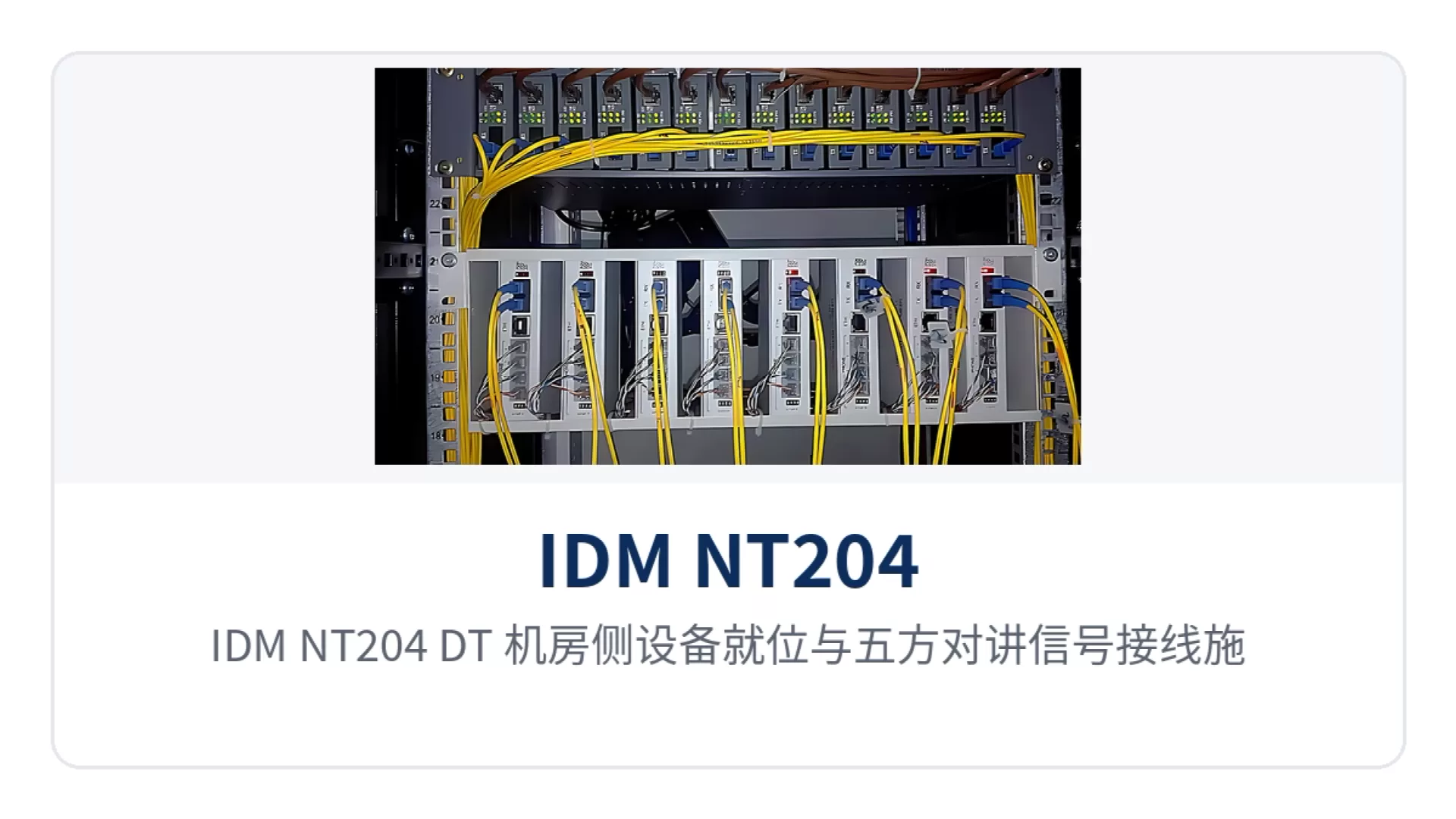
Figure 4: IDM NT204 (DT) machine room side equipment positioning and five-party intercom signal wiring construction scene
Typical Application Scenarios
Elevator IoT Integrators: Bringing Intercom and Surveillance onto One Optical Cable
Elevator machine rooms in residential communities are mostly located on the top floor or equipment floor, while the monitoring room is set up in the lobby, gatehouse or industrial park surveillance center, and the distance between them often exceeds the direct-connect range of twisted pair. The integrator installs IDM NT204 (DT) at both the machine room and the monitoring room, and the five-party intercom can then be extended to the duty console over optical fiber. When a trapped passenger in the elevator car presses the alarm button, the duty operator can connect directly and reassure them while notifying maintenance and rescue personnel. As a mature product of a professional optical multiplexer manufacturer, this device has extensive product showcase applications in elevator IoT projects.
Elevator IoT projects can also use the device's independent Ethernet channel to carry the Ethernet service on the elevator car side along the same route, incorporating intercom and video into the same optical cable resources. Using optical fiber eliminates reliance on GSM monthly billing and does not occupy long-distance twisted pair in the hoistway; cabling is completed once upfront, with only equipment maintenance afterward.
Property Management Group: Centralized Duty for Elevator Intercom Across Multiple Buildings
Property management groups often need to bring elevator intercoms scattered across multiple buildings and multiple industrial parks together for centralized duty at a single surveillance center. After the intercom voice on the equipment room side is aggregated over optical fiber into the park elevator private network, on-duty personnel at the center can call the cable car cabin, car top and pit, first contact trapped passengers, and then dispatch the nearest maintenance team to the site.
2-channel, 8-channel and 30-channel capacities are available. A park can be connected in batches by building, starting with a small number of elevators and later expanding capacity according to actual sites, without having to fully equip the devices at once. When a monitoring room is relocated or merged, the devices only need to be reinstalled in the new equipment room, and the operating method of the existing intercom master unit remains unchanged.
Smart Community and Old Residential Area Renovation Contractors: Long-Distance Link Upgrades Without Touching Existing Cabling
In old residential area renovation, there is often only twisted pair laid in earlier years between the elevator machine room and the duty room. Once the distance exceeds the limit, calls become intermittent or even interrupted. During renovation, IDM NT204 (DT) units are added at both ends and a section of optical cable is laid in between. The elevator traveling cable and intercom master unit wiring in the machine room remain basically untouched, and the construction work is concentrated in the weak-current shaft and the monitoring room. As a typical practice of the elevator five-party intercom optical fiber transmission solution, this approach has been verified in multiple renovation projects.
Such projects are usually implemented in phases. Contractors can first equip 2-channel devices according to the number of elevators in the current phase, and then add 8-channel or 30-channel devices by site in subsequent sections. The devices use a dedicated power supply connected to the elevator power source, with the power supply access point on the equipment room side, so no separate power feed is needed for the intercom link. During acceptance, calls can be checked site by site.
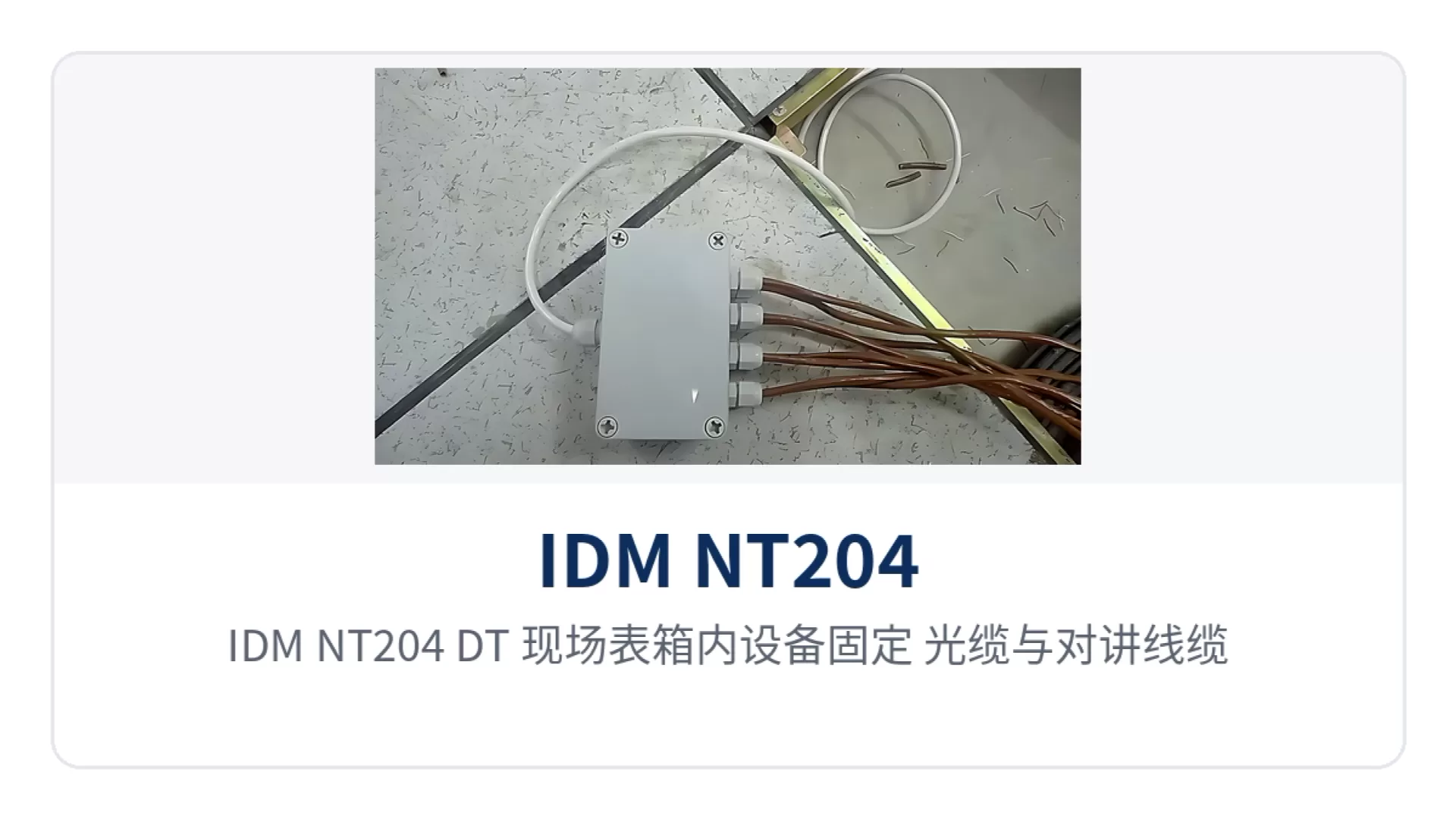
Figure 5: IDM NT204 (DT) installation details of device fixing inside the on-site meter box and separate trunking laying of optical cable and intercom cable