IDM adMUX High-Definition Video Conferencing System
17-card multi-network bonding, 3G/4G/WiFi/LAN simultaneous transmission, GPS track
The IDM adMUX high-definition network video conferencing system enables people to conduct long-distance real-time information exchange. Intuitive audio and video communication and other multimedia technologies create a virtual workspace shared by multiple participants.
The IDM adMUX high-definition network video conferencing system is a high-definition network video conferencing system designed for private networks. It consists of a video conferencing server, an audio and video recording server, and two types of terminals—desktop and mobile. Multiple regions exchange images, voice, and data over Ethernet switching, creating a virtual workspace shared by multiple participants. The system carries services such as remote consultation, emergency command, and mobile law enforcement backhaul. Participants access the central server via a client in Web mode to join the conference, enabling flexible audio and video dispatching and multi-party collaboration.
Key Specifications at a Glance: Video encoding H.264 · Network protocols UDP/TCP/HTTP/RTP/SRTP · Multi-card bonding 17 cards · Access networks 3G/4G/WIFI/LAN · Positioning GPS track recording · Recording Local SD card on terminal
What devices make up the high-definition network video conferencing system?
The entire system uses the central equipment room as the aggregation point. Venue-side equipment is configured in two forms—desktop and mobile—with conference peripherals connected externally. On the central side, a video conferencing server and an audio and video recording server are deployed, responsible for signaling dispatching, audio and video forwarding, and recording retention. On the venue side, desktop terminals and mobile terminals are deployed, connected to display, sound reinforcement, and capture devices. Cross-region venues access the center over a private network or public network, forming a complete audio and video dispatching link.
- Central side: video conferencing server and audio and video recording server, deployed in the central communications equipment room, responsible for multi-party conference dispatching, audio and video dispatching, and recording storage.
- Venue side: desktop high-definition video conference terminals, interfacing with conference TVs, conference cameras, microphones, mixers, power amplifiers, and speakers.
- Mobile side: 3G/4G mobile video conference terminals, equipped with hand microphones, touchscreens, and storage cards, used in vehicles, by individual soldiers, and at temporary sites.
- Transmission side: Ethernet switches and network transmission systems, aggregating the audio and video streams of all venues and the center into the same conference space.
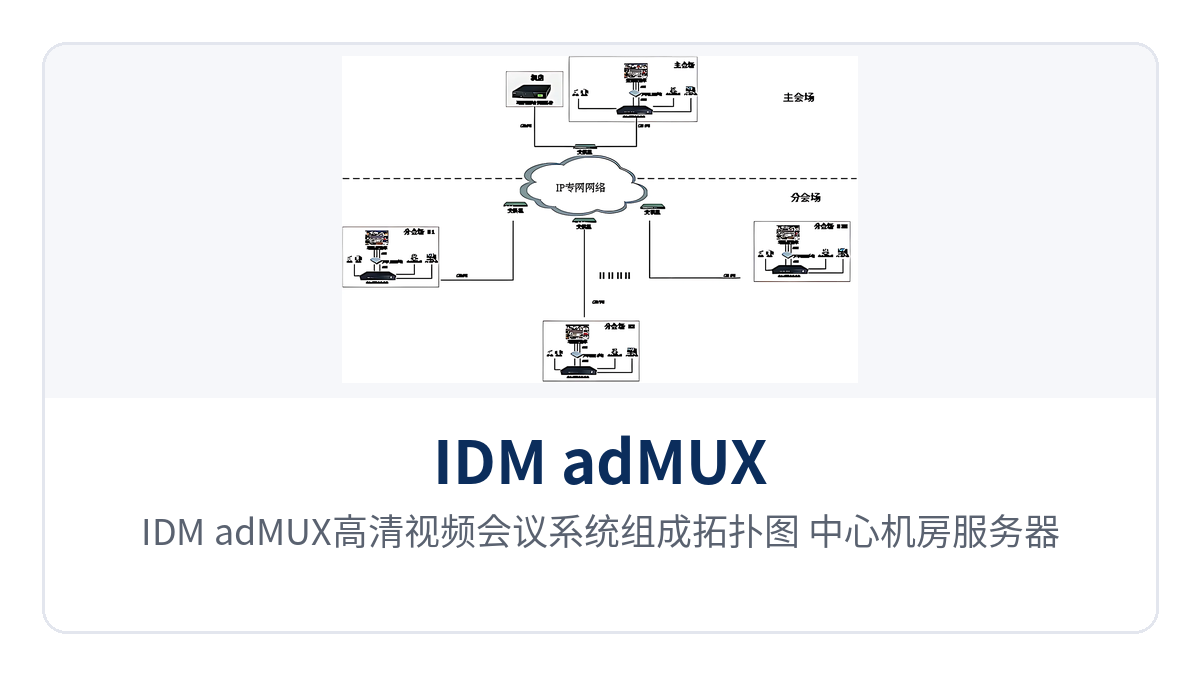
Figure 1: IDM adMUX high-definition video conferencing system composition topology, networking relationship between central equipment room servers and main venue/branch venue terminals
What conferencing and collaboration functions does one system cover?
Functions cover four categories: instant messaging, audio and video conferencing, data collaboration, and surveillance input. Speaking control, video display, and participant entry and exit during a conference are all set uniformly by the host. When bandwidth is insufficient, terminals can lower the audio and video stream to control bandwidth utilization; during a conference, personnel can also be invited to join or removed from the conference, keeping the consultation pace controllable.
| Function | Description |
|---|---|
| Instant text chat | Text communication inside and outside the conference, with support for sending messages to all participants and viewing history. |
| Audio and video call and recording | Two-way audio and video calls, with support for recording and saving calls and conference proceedings. |
| File transfer and reception | Send document files to a party or all participants during a conference, and receive and archive them directly. |
| Audio and video conferencing and photo taking | Multi-party real-time conferencing with support for photo retention; the stream can be adjusted to match link bandwidth. |
| Screen sharing and document sharing | Share a computer screen and materials such as PPT, Word, and Excel, viewed synchronously by all participants, facilitating product showcase and solution discussion. |
| Electronic whiteboard and media sharing | Multiple parties collaborate on drawings on the whiteboard and share playback of recordings or DVD and VCD files. |
| Phone book and contact management | Unified management of personal information, groups and contacts, and the phone book, facilitating quick dial-in. |
| VOIP phone and messaging | VOIP calls, call records and history, and SMS, fax, and email sending and receiving. |
| Surveillance input and PTZ control | Surveillance images are fed into the conference, with support for surveillance intercom and PTZ control, allowing direct viewing of the site during consultation. |
| Conference host management | The host controls speakers' speaking and video display, and can invite personnel to join or remove them from the conference. |
| Terminal video layout | Tiled, alternating, split screen, picture-in-picture, and hidden video windows, switched according to the number of participants. |
What capabilities does the video conferencing server provide for conferences?
The server handles conference signaling dispatching and audio and video forwarding. Local conferences and remote conferences share the same software, so there is no need to build a separate system for each type. The server has built-in noise cancellation and echo suppression, and adjusts audio and video streams from different links into usable streams through data priority, rate matching, and transcoding. The venue side only needs to connect cables in the conventional way.
- Multi-channel audio and video input, supporting both local conferences and remote conferences.
- Built-in noise cancellation and echo suppression, so venue sound reinforcement is unlikely to produce howling and echo.
- Fast data forwarding, encryption, and firewall traversal, adapting to private networks and multi-level network boundaries.
- Supports network protocols such as UDP, TCP, HTTP, RTP, and SRTP, with H.264 encoding delivering clear images.
- Automatic rate reduction and intelligent packet loss recovery, so conferences are not interrupted when the link jitters.
- The recording server saves conference audio and video and shared data, which can be played back after the conference.
How is a desktop venue arranged? What operations does the terminal provide?
A desktop venue centers on one high-definition video conference terminal. Video and audio input and output devices connect directly to the terminal, and camera images and microphone voice are encoded by the terminal and fed into the conference. The terminal supports H323 user calls. Shared video, electronic whiteboard, screen sharing, and file sending are all completed in the same interface. Picture-in-picture is available only in video chat; in multi-party conferences, switch to tiled or split screen layout.
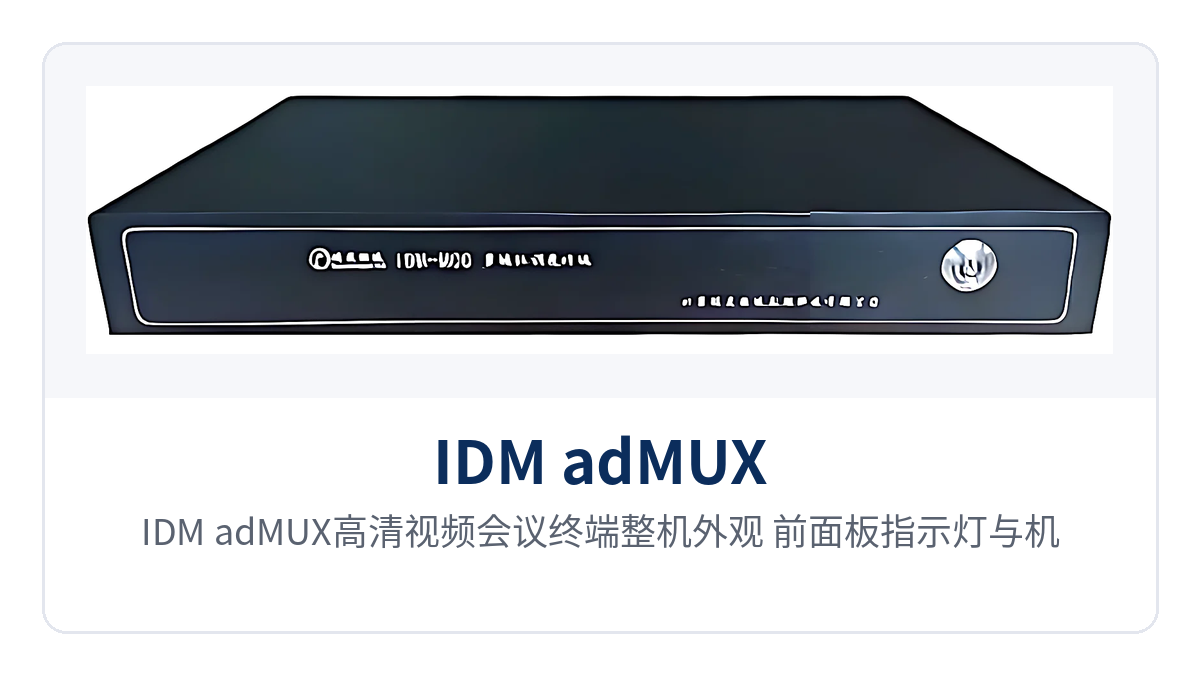
Figure 2: IDM-adMUX high-definition video conference terminal overall appearance, front panel indicator LEDs and chassis interface layout
- H323 call: dial an H323 user directly by number to enter video consultation.
- Shared video and screen sharing: share playback of recordings and DVD files, or share the local computer screen with the other party.
- Electronic whiteboard and file sending: annotate and draw on the whiteboard together with the other party, and send file materials to the other party.
- Video layout: tiled video for multi-person viewing, alternating video for swapping local and remote images, and split screen with left and right columns.
- History and friends: view chat and call records, and add a non-friend party as a friend with one click.
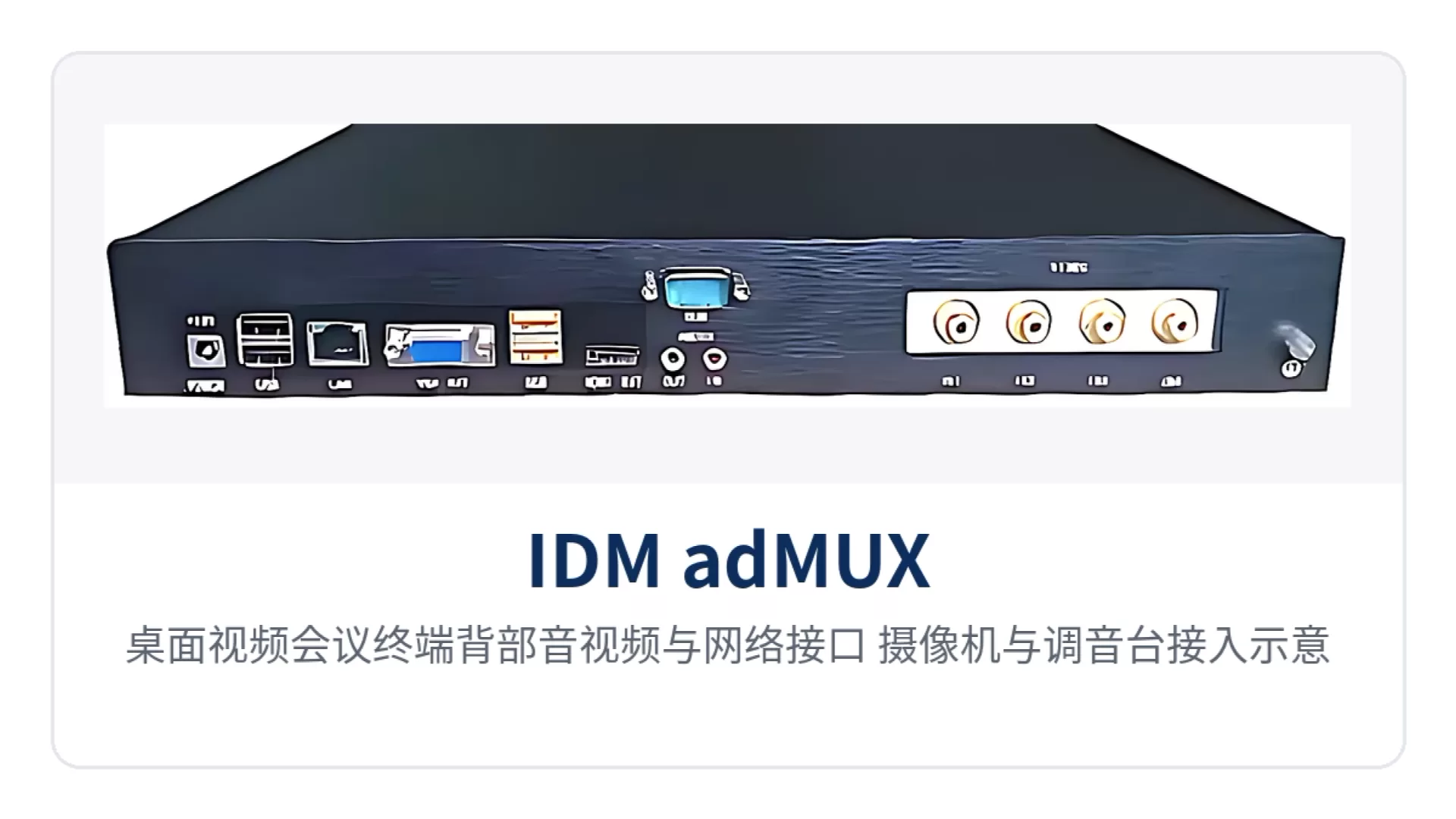
Figure 3: Desktop video conference terminal rear audio, video, and network interfaces, camera and mixer connection schematic
How does the mobile video conference terminal transmit HD images back from weak-signal sites?
As a multi-network bonded video conference terminal, the mobile terminal uses all four links—3G, 4G, WIFI, and LAN—simultaneously, bonding and switching according to on-site signal strength, so that attenuation of a single link does not drag down the entire consultation, and images can be maintained even when a vehicle travels to the edge of coverage.
The terminal provides two-way video communication, real-time HD video storage and backhaul, voice and video intercom, GPS navigation, and on-site control and playback via a large touchscreen. It supports both WCDMA and EVDO 3G formats, and customers select the network module according to local network conditions.
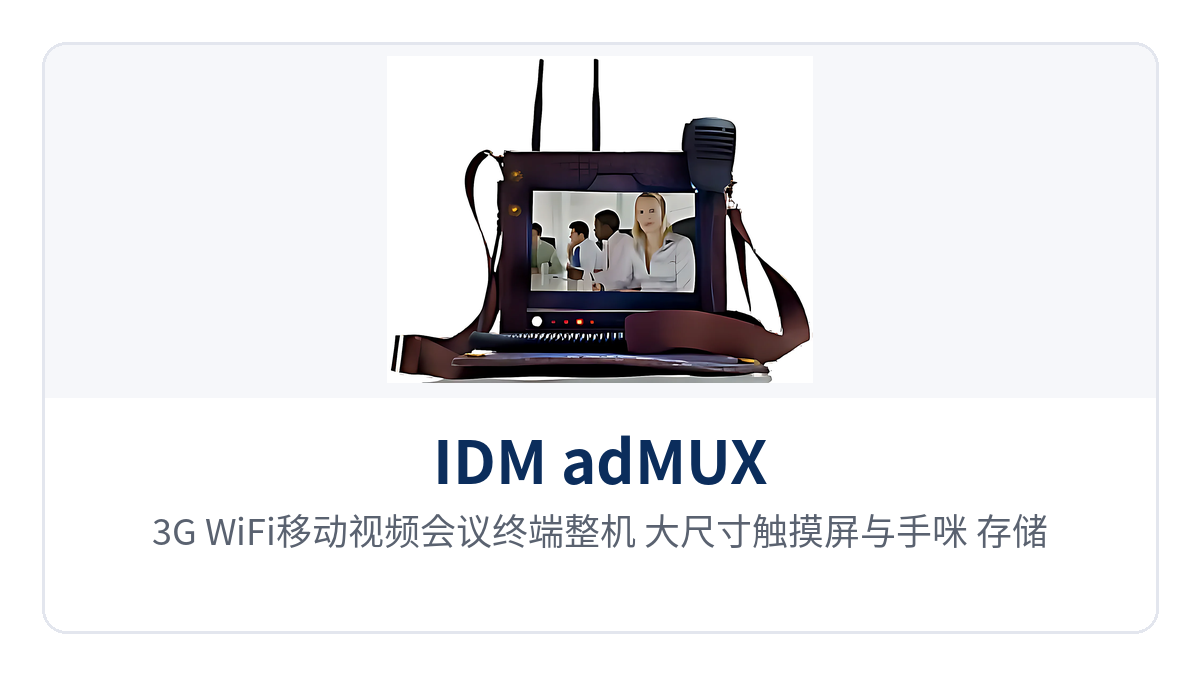
Figure 4: 3G/WiFi mobile video conference terminal unit, large touchscreen, hand microphone, and storage card slot
| Capability | Implementation | On-site Value |
|---|---|---|
| 17-card multi-network bonding | Supports multi-card (17-card) bonding, with EVDO/WCDMA/TD-LTE mixed-network operation | Multi-card bandwidth stacking, enabling HD image backhaul even at weak-signal sites |
| IVE smart encoding | Smart encoding adaptively adjusts stream and image quality according to network conditions | Automatically selects images matching current bandwidth under complex links |
| Track recording | GPS track and speed are written into the same media file as video and audio | The command center traces on-site actions by route and speed |
| Four-network seamless switchover | Transmission over 3G, 4G, WIFI, and LAN, with support for multi-network bonding | Link switchover when vehicles move across regions, without interrupting consultation |
| Local SD card recording | Manual or automatic recording of specified video and audio, with retrieval and playback on the terminal | On-site images retained locally, so files are not lost even if backhaul is blocked |
With the online electronic map, the command center can observe the distribution and movement tracks of mobile terminals and grasp on-site conditions through real-time audio and video intercom. The terminal supports PTT intercom communication via the configured hand microphone and also supports Bluetooth devices; two terminals can conduct point-to-point two-way consultation, and after connecting to the video server, this becomes multi-point consultation among multiple terminals.
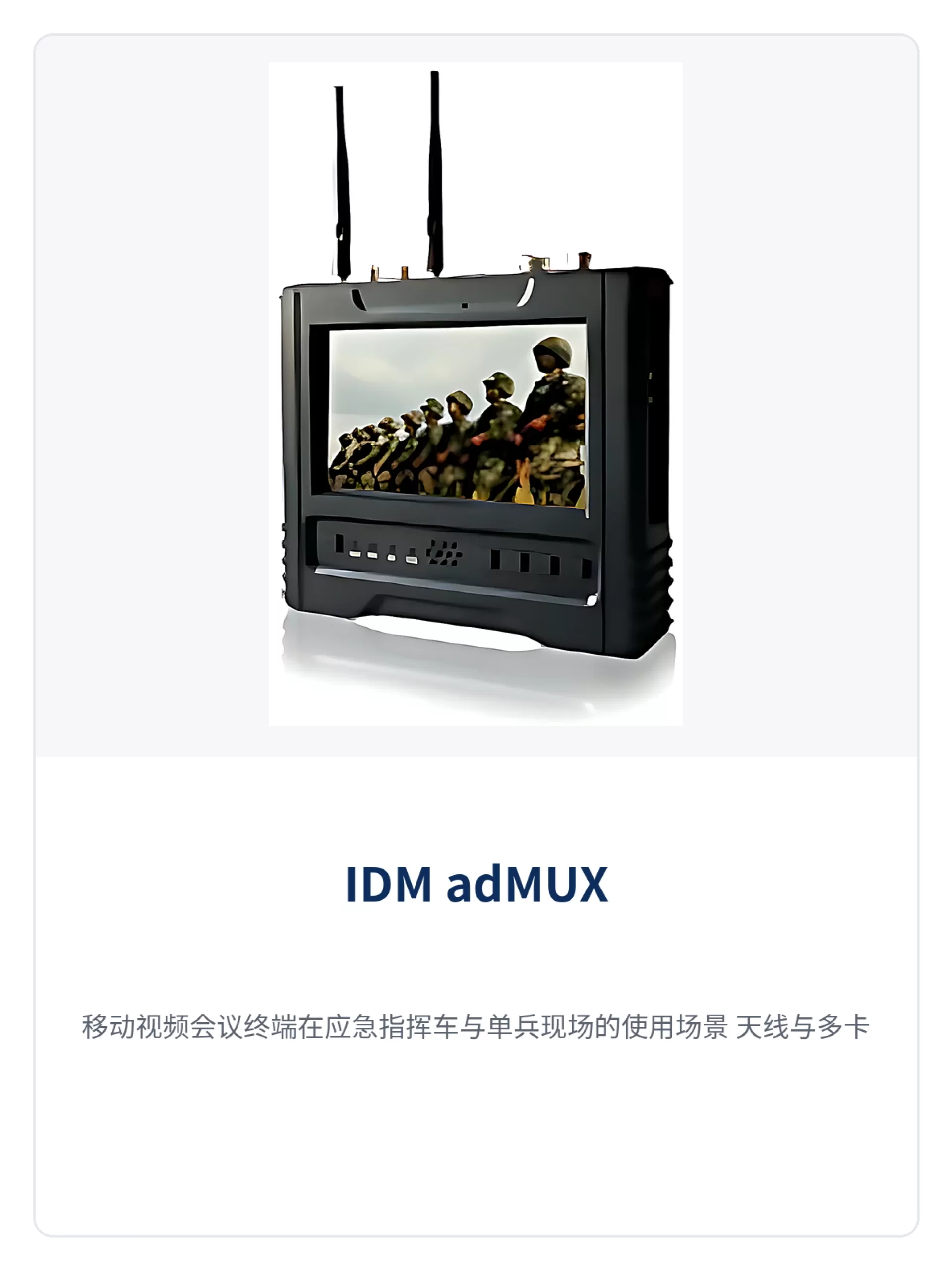
Figure 5: Usage scenarios of the mobile video conference terminal in an emergency command vehicle and at an individual soldier site, with antennas and multi-card modules connected externally
Technical Specifications and Performance Specifications
The table below lists verifiable specifications in two parts: system and terminal. Items for which complete unit electrical parameters are not provided are marked as not yet recorded in the knowledge base and must be confirmed with the audio and video dispatching system manufacturer before ordering. Audio encoding, resolution, and operating temperature items not listed in the table are completed by the manufacturer according to the ordering configuration during project implementation, facilitating calculation together with on-site power supply and equipment room environment.
| Item | Parameter/Specification | Description/Applicable Conditions |
|---|---|---|
| Video encoding | H.264 | Supported by both server and terminal, outputting clear video images |
| Network protocols | UDP, TCP, HTTP, RTP, SRTP | Supports encrypted transmission and firewall traversal |
| Audio processing | Noise cancellation, echo suppression | Built into the server; venue sound reinforcement requires no additional suppression device |
| Conference mode | Local conference, remote conference | A standalone unit can hold a local conference; cross-region networking holds a remote conference |
| Conference topology | Point-to-point, multi-point consultation | Two terminals connect directly, or multiple parties access via the server |
| Conference scale | Constrained by server computing capability | The number of venues is calculated according to server configuration and bandwidth |
| Multi-card bonding | 17 cards | EVDO/WCDMA/TD-LTE mixed network, bandwidth stacking |
| Terminal networks | 3G, 4G, WIFI, LAN | Four-network bonded transmission and seamless switchover |
| 3G formats | WCDMA, EVDO | Select the network module according to local network conditions |
| Positioning records | GPS track, speed | Recorded together with audio and video in the media file |
| Recording storage | Local SD card on terminal, server recording | Supports terminal retrieval and playback and remote video on demand |
| Audio encoding | Not yet recorded in the knowledge base | Subject to the manufacturer's technical documentation |
| Video resolution | Not yet recorded in the knowledge base | Determined by conference bandwidth and terminal configuration |
| Power supply and power consumption | Not yet recorded in the knowledge base | Subject to the technical documentation supplied with the unit |
| Operating temperature | Not yet recorded in the knowledge base | Outdoor and vehicle-mounted scenarios require confirmation with the manufacturer |
Typical Application Scenarios
Emergency Command
Disaster sites often lack stable broadband. After command vehicles and individual soldiers bring in mobile terminals, the bandwidth of multiple 3G and 4G cards is stacked through 17-card mixed-network bonding, and IVE smart encoding automatically lowers the stream according to link quality, so HD on-site images can be transmitted back to the command and dispatch center even under network outage and weak-signal conditions. On the central side, large displays and desktop terminals are used for multi-point consultation, with front and rear parties discussing response plans on the same image; on-site SD card recording can also be enabled for evidence retention. Such scenarios are a typical implementation combining the military emergency communications vehicle solution with audio and video dispatching capabilities.
Energy and Electric Power
Inspection points for power transmission lines and substations are mostly located in mountainous areas and the field. Inspection personnel carry mobile terminals and move along the lines, with GPS tracks and audio and video recorded simultaneously, so that back at the center they can replay the inspection footage of each tower section by track. During emergency repair, consultation does not have to wait for personnel to return; on-site video is connected to the central conference room in real time, experts annotate drawings on desktop terminals and share them with the site, and the repair plan is decided on the spot.
Public Security Law Enforcement
Mobile law enforcement vehicles and individual soldiers move between urban areas, highways, and checkpoints. Seamless switchover across four networks enables links to reconnect automatically when vehicles cross regions, with no interruption to video. Law enforcement footage is recorded to a local SD card in manual or automatic mode, and can be retrieved and replayed back at the station, with important clips available for verification. The command center tracks police force distribution by GPS track, and ad-hoc consultations can directly pull in on-site terminals without setting up a separate venue. The coordination between the command and dispatch system and the multimedia dispatching exchange is particularly critical in such scenarios.
Deployment and Implementation Highlights
Implementation proceeds in the order of center first, conference venues next, and mobile terminals configured with vehicles, with links and power supply verified together at every step. On site, proceed in the following six steps, and enter the next step only after the previous one is verified, so as to avoid configuring conference venues before the center is connected and starting recording before links are stable, which would mean redoing both ends in the event of rework.
- Deploy the video conferencing server and the audio and video recording server on the central side first. Reserve a fixed address and port mapping at the equipment room egress, and allow protocols including UDP, TCP, HTTP, RTP, and SRTP.
- Wire the desktop venue in the order of terminal, camera, microphone, mixer, power amplifier, and speaker. Connect the video output to the conference TV or large display, and uplink the terminal network port to the Ethernet switch.
- Select a WCDMA or EVDO module for mobile terminals according to local network conditions, insert cards into the multiple slots as allocated by the carrier, and install antennas on the vehicle roof or high on a support.
- Before the meeting, measure the uplink and downlink bandwidth of each venue. For low-bandwidth venues, lower the stream rate or reduce the number of video channels, and have the host preset speaking and video display permissions.
- Separate recording policies by purpose: enable server recording at the center for important meetings, enable terminal SD card recording for on-site operations, and archive them separately afterwards.
- Enable GPS positioning and track recording on mobile terminals, and import the jurisdiction base map into the central electronic map in advance, so that tracks can be viewed directly during meetings.
Conclusion
As an HD network video conferencing system covering both the center and the site, IDM adMUX brings desktop consultation, mobile backhaul, and track recording into a single server and terminal system: venues are set up with desktop terminals, field access uses multi-network bonded terminals, and conference and on-site video are switched within the same interface. The system suits private network scenarios such as emergency command, energy and electric power, and public security law enforcement, and also applies to the daily consultation needs of government agencies, remote education, and medical emergency care, providing integrated support for services such as audio and video dispatching, product showcase, and command and dispatch.