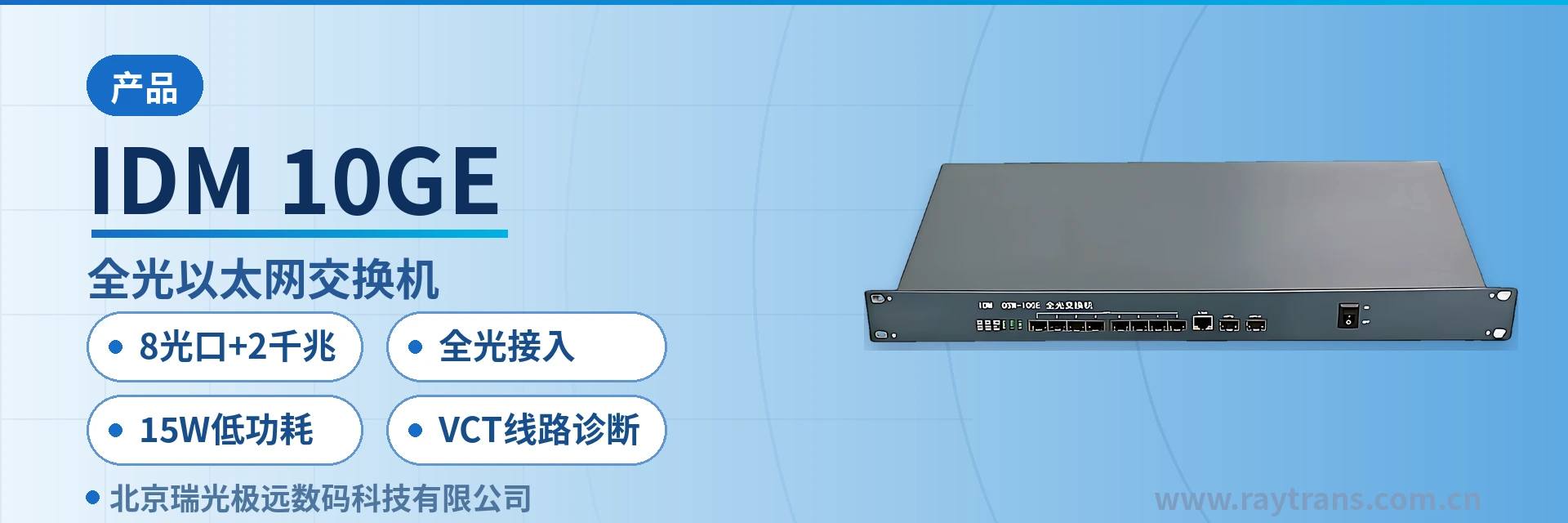
IDM 10GE All-Optical Ethernet Switch
8 optical ports direct access saves 8 transceivers, 2 Gigabit combo uplink ports, 15W low power consumption
The IDM OSW-10GE all-optical Ethernet switch is a Layer 2 wire-speed Ethernet switching product independently developed by Raytrans. It is an intelligent switch designed for network environments that require high performance and easy installation. The IDM OSW-10GE all-optical Ethernet switch provides 2 Gigabit copper/SFP (mini GBIC) combo ports for flexible Gigabit copper or fiber backbone connections. Users can flexibly select various interfaces such as 1000BASE-LX, 1000BASE-SX, and 1000BASE-T according to different transmission distance requirements.
IDM OSW-10GE (listed as IDM 10GE in the product catalog) is an 8-port all-optical Ethernet switch developed by Beijing Ruiguang Jiyuan Digital Technology Co., Ltd. (Raytrans). As one of the representative products of a professional media converter manufacturer and industrial Ethernet switch manufacturer, it is used to aggregate distributed Ethernet services on site directly into the private network through optical ports, eliminating the optical-to-electrical conversion stage at the remote end of each service, and supporting the implementation of all-optical access and government private network optical fiber communication solutions.
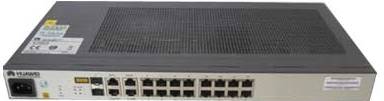
The device provides 10 optical ports in total, divided into two groups by rate: 8 × 10/100Base-FX ports for on-site Fast Ethernet services, and 2 × Gigabit optical/electrical combo ports for the uplink backbone. The combo ports can either accept SFP optical modules for optical cable runs or use RJ-45 electrical ports to directly connect equipment in the same equipment room, with the interface type selected according to on-site link conditions. As a converged form of fiber optic switch and industrial Ethernet switch, the product also demonstrates flexible optical port networking capability in the media converter product showcase.
Key Specifications at a Glance: 8 × 10/100Base-FX optical ports · 2 × Gigabit optical/electrical combo ports · 8 optical ports + 2 Gigabit · all-optical access · 15W low power consumption · VCT line diagnosis
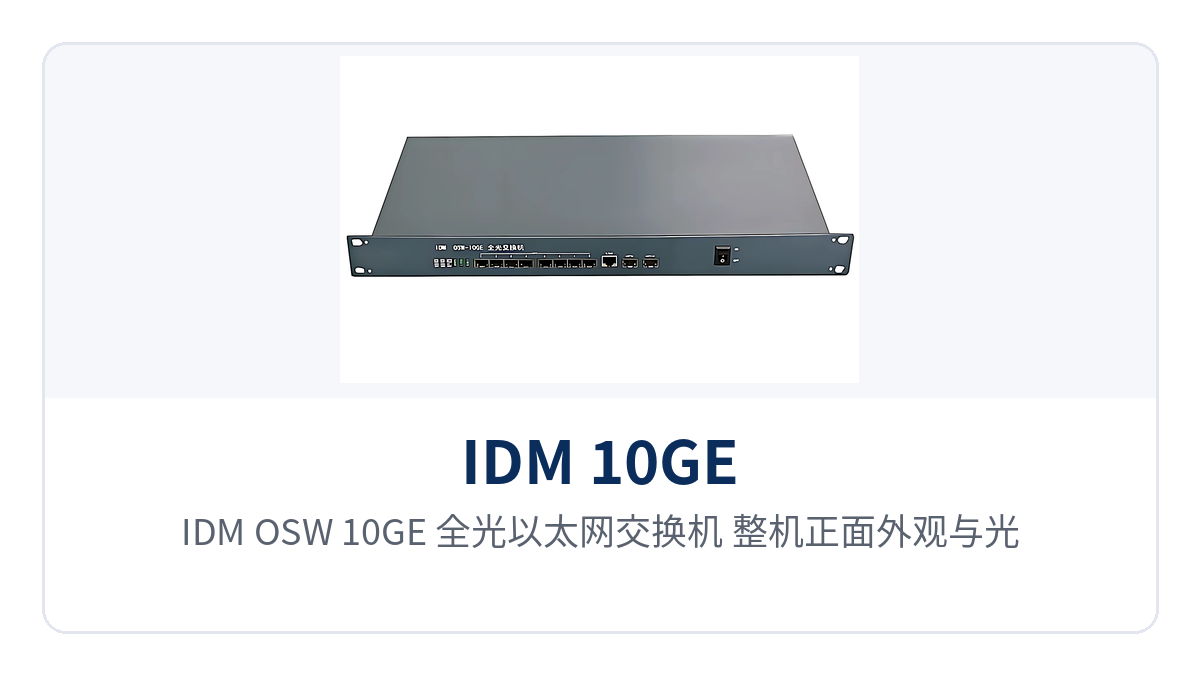
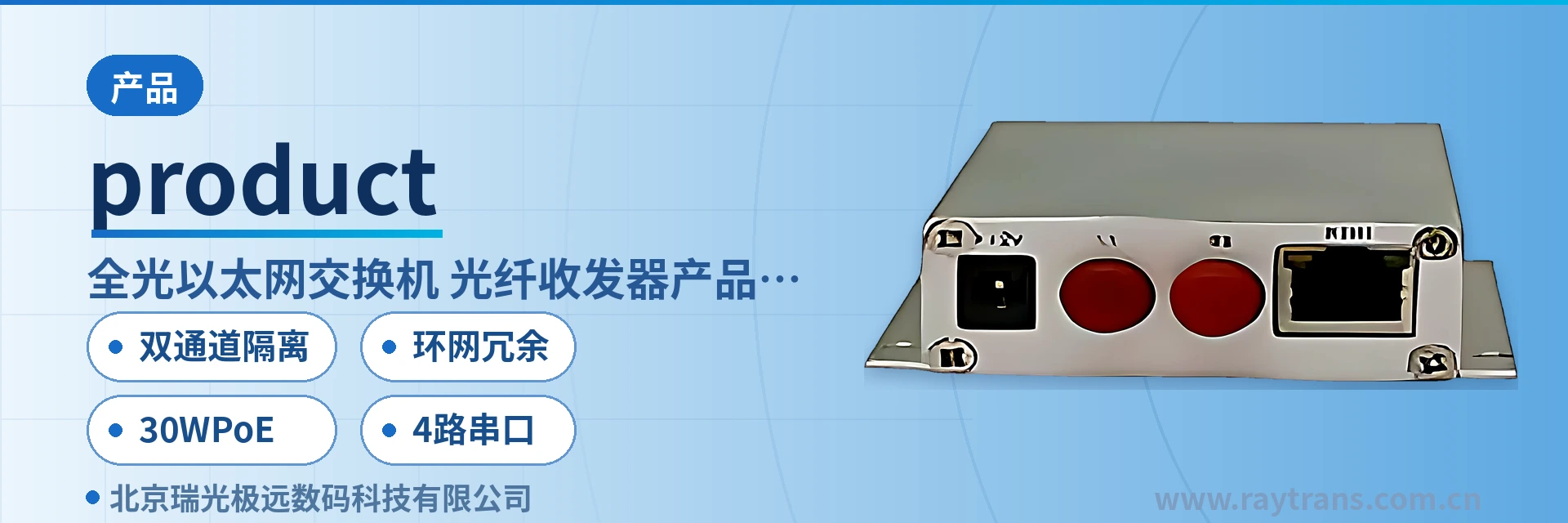
Figure 1: IDM OSW-10GE all-optical Ethernet switch — close-up of the front panel, optical ports and power indicator LED
What is an 8-port all-optical Ethernet switch?
An 8-port all-optical Ethernet switch refers to a Layer 2 switching device whose service side connects directly through optical ports without copper cable conversion in between; IDM OSW-10GE belongs to this form. All-optical access means that the entire path from the on-site terminal to the switch runs over optical fiber, the switch ports themselves are optical ports, and no paired media converters appear on the link. As a typical form of fiber optic switch, the device often highlights port configuration and networking approach as its core selling points in the product showcase.
Port configuration determines the networking topology. The 8 Fast Ethernet optical ports connect nearby cameras, distribution network terminals and station access equipment by site, while the 2 Gigabit ports aggregate upward into a single backbone. One device takes over the work of 8 media converters plus one electrical-port switch, simplifying the wiring and power supply access points in the cabinet.
The unit complies with IEEE802.3, 802.3u, 802.3ab, 802.3z and IEEE802.3x flow control standards, supports NWay auto-negotiation, and can directly intercommunicate with standard Ethernet devices. Layer 2 forwarding uses store-and-forward mode: a complete frame is received and verified before being sent to the destination port, so errored frames do not propagate downstream.
What devices and stages can all-optical access eliminate?
All-optical access first eliminates the remote optical-to-electrical conversion stage. In the traditional approach, a media converter on site converts optical signals to electrical signals before they enter an electrical-port switch — two sets of equipment, two power supplies and two points of failure. With optical ports feeding the switch directly, this conversion is performed by the switch port itself, leaving only one device and one uplink fiber in the weak-current box.
- Fewer devices: 8 Fast Ethernet optical services enter the 8 optical ports directly, so the cabinet no longer needs a separate media converter for each service.
- Fewer rack positions and patch cords: ODF ports, pigtails and cabinet U positions decrease in step with the number of services, and cabling inside the box is shortened.
- Fewer points of failure: one less optical-to-electrical conversion stage on the link means that when a link interruption occurs, only the fiber and the optical ports at both ends need to be checked, narrowing the troubleshooting scope.
- Fewer configuration steps: VLANs and rate limiting for the 8 optical ports and 2 uplink ports are configured within the same device, with policies delivered centrally in one pass.
The uplink choice also affects installation. When optical cable is available between central equipment rooms, use the 2 Gigabit SFP ports for uplink; within the same equipment room, patch cords to RJ-45 electrical ports are sufficient. Both connection methods are supported by the same device, so no model change is needed when the project changes.
What switching and management functions are provided?
The functions cover four categories — optical port access, service isolation, link reliability and remote O&M — listed item by item in the table below. The table contains no extended functions beyond the original product documentation; the configuration scope is subject to the factory software version. Compare row by row against on-site requirements during verification, and confirm any missing items separately with the media converter manufacturer or industrial Ethernet switch manufacturer.
| Function | Description |
|---|---|
| 8 Fast Ethernet optical port access | Provides 8 × 10/100Base-FX adaptive optical ports; Fast Ethernet services from cameras, distribution network terminals and in-station switches can enter the optical ports directly |
| 2 Gigabit optical/electrical combo uplinks | Provides 2 Gigabit optical/electrical combo ports; insert SFP optical modules for long-distance optical cable runs, or switch to RJ-45 electrical ports for equipment in the same equipment room — either one per port |
| Layer 2 wire-speed store-and-forward | Uses store-and-forward mode: complete frames are received and verified before forwarding, so errored frames do not propagate downstream |
| VLAN isolation | Up to 26 port-based VLANs; 802.1Q VLAN supports 128 VLANs with configurable VLAN IDs 1-4094 |
| QoS priority | 4 priority queues per the 802.1p standard, with video and real-time control services forwarded first |
| Port aggregation | 3 port aggregation groups configurable: 2 × 10/100M trunk groups (2 to 4 ports each) and 1 Gigabit trunk group (2 Gigabit ports) |
| Port mirroring | Supports N:1 port mirroring; traffic from mirrored ports is copied to the monitoring port for packet capture with analysis equipment |
| Port bandwidth control | Rate limiting granularity of 64Kbps; the service bandwidth cap can be set per port |
| VCT line diagnosis | Supports VCT line diagnosis, reporting open-circuit, short-circuit and wire-pair status of twisted pair |
| Web management | Web-based interface management for viewing port status, dividing VLANs, and configuring aggregation and rate limiting |
| Configuration file import/export | Supports configuration file export and import; sites of the same model can be bulk provisioned with a single configuration |
| Port adaptive | Electrical ports support 10/100/1000Mbit/s rate adaptive, half-duplex and full-duplex auto-negotiation, and MDI/MDI-X polarity adaptive |
Key Specifications and Performance Specifications
The parameters are listed in two groups — ports and switching capability, and power supply and mechanical environment — with consistent definitions of the same specification across both tables. Rates, power consumption, dimensions, temperature and humidity are taken from the original product documentation; engineering calculations are based on the values in the tables, and on-site conditions beyond the table scope must be confirmed separately.
| Item | Parameter/Specification | Description/Applicable Conditions |
|---|---|---|
| Fast Ethernet optical ports | 8 × 10/100Base-FX adaptive Ethernet ports | Connect on-site Fast Ethernet optical services; optical modules selected by link length |
| Gigabit optical/electrical combo ports | 2 × Gigabit optical/electrical combo ports | Optical ports are SFP slots, electrical ports are RJ-45; choose either one per port |
| Management interface | 1 × Console interface | For on-site local commissioning |
| Electrical port rate | 10/100/1000Mbit/s | Supports half-duplex, full-duplex and auto-negotiation |
| Polarity adaptive | Supports MDI/MDI-X adaptive | Both straight-through and cross-over cables can be used |
| Network cable type | Category 5 twisted pair | Both 100Base-TX and 1000Base-T transmission distances planned at 100m |
| Switching mode | Store-and-forward | Complete frames received and verified before forwarding |
| MAC address table | 8K, automatic learning, aging time 5 minutes | Address table reclaimed by the aging mechanism |
| Ethernet standard | IEEE802.3, 802.3u, 802.3ab, 802.3z, 802.3x, NWay auto-negotiation | Interoperates with standard Ethernet devices |
| Indicator LED | Link/Act and Speed per port; Power per device | Port and unit status can be judged without connecting a PC |
| VLAN capacity | 26 port VLANs; 128 802.1Q VLANs, IDs 1-4094 | Planned by the number of service zones |
| QoS queues | 802.1p standard, 4 queues | Real-time services forwarded first |
| Port aggregation | 3 groups: 2 Fast Ethernet trunks (2 to 4 ports each), 1 Gigabit trunk | Configured by link redundancy requirements |
| Bandwidth control granularity | 64Kbps | Service bandwidth cap set per port |
| Item | Parameter/Specification | Description/Applicable Conditions |
|---|---|---|
| Dimensions | 440×230×44 mm | 19-inch rack installation width, 1U high |
| Input voltage | 100–240V AC, 50/60Hz | Conventional AC power supply in equipment rooms and stations |
| Power consumption | No more than 15W | Overall power consumption, continuous long-term operation |
| Heat dissipation | Natural heat dissipation | Fanless structure, no rotating parts inside the enclosure |
| Operating temperature | 0℃–40℃ | Equipment room, in-station equipment room and weak-current room environments |
| Operating humidity | 5%–95%, non-condensing | Dehumidification measures required when humidity exceeds the limit |
What do 8 optical ports + 2 Gigabit and 15W low power consumption mean for unattended sites?
The three differentiated capabilities only matter when applied to engineering conditions; the item-by-item correspondence is shown in the table below. Port configuration determines how many remote devices are saved, power consumption and heat dissipation determine whether the cabinet can be left unattended, and diagnosis and network management determine how many site visits O&M personnel must make.
| Differentiation Point | Value to the Project |
|---|---|
| 8 optical ports + 2 Gigabit | The 8 optical ports + 2 Gigabit port configuration aggregates 8 Fast Ethernet optical services and 2 uplinks into a single 1U device; media converters are no longer needed at each remote site, and ODF ports, pigtails and cabinet space decrease accordingly |
| All-optical access | All-optical access moves optical-to-electrical conversion into the switch ports, leaving one less active device on the link; troubleshooting involves only the fiber and the optical ports at both ends, and power supply access points in the weak-current box are also reduced |
| 15W low power consumption | 15W low power consumption means overall power consumption does not exceed 15W; combined with the 1U rack and natural heat dissipation, the power budget, dust-proof maintenance and noise issues at unattended sites are all alleviated |
| VCT line diagnosis | VCT line diagnosis, together with Web management and configuration file import/export, allows O&M personnel to judge link and wire-pair status from the center, reducing trips to the site to locate a single fault |
How does VCT line diagnosis remotely locate optical fiber link faults?
VCT line diagnosis is a function in which the switch performs line testing on twisted pair ports to determine open-circuit, short-circuit and wire-pair status; it is suitable for first confirming which segment a fault falls in after an alarm occurs. The procedure has four steps, each completed on the Web page without removing wiring on site.
- Log in to the Web management page and check the Link/Act and Speed status in the port list to confirm which service has lost its link.
- Run VCT line diagnosis on the electrical port that lost its link, read the wire-pair length and the open-circuit/short-circuit conclusion, and determine whether the problem is on the network cable side or at the opposite end device.
- On the optical port side, cross-check the port indicator LED against the status of the opposite end device; when the optical fiber link is abnormal, first clean and reinsert the patch cord, then re-measure the port status.
- After handling, export the configuration file and keep it on file; sites of the same model import the same file to restore VLAN, aggregation and rate limiting settings.
The diagnosis conclusion covers only cable and port status; the receive/transmit optical power of optical modules and the quality of fiber splicing require on-site instruments. At project handover, record the VCT conclusion together with the optical port indicator LED status in the inspection sheet, so that similar faults later can first be judged as remotely resolvable from the records before deciding whether a site visit is needed.
Typical Application Scenarios
The common features of the three industry scenarios are distributed sites, low service volume per site, and a lack of dedicated duty personnel on site. The combination of all-optical access and low power consumption fits exactly these conditions; the industry practices below map directly to distribution network, rail transit and mining projects, and should be weighed against the site duty model and cabinet power supply margin during verification.
Electric power distribution network communication
Optical cables between substations, ring main units and distribution terminals typically run from several hundred meters to tens of kilometers, with services mainly Fast Ethernet. The device is installed in the in-station cabinet: 8 Fast Ethernet optical ports aggregate the uplink fibers of distribution terminals, protection devices and in-station cameras, while 2 Gigabit ports aggregate toward the dispatching data network, with one device replacing multiple media converters.
The power supply and heat dissipation margin in the station building is limited. The overall power consumption of the unit does not exceed 15W, and natural heat dissipation is adopted, so the cabinet does not require additional fans or air conditioning margin, and multiple units of the same model can be connected in parallel in the same cabinet. The operating temperature of 0℃ to 40℃ covers the equipment room environment in the station, and long-term powered operation at unattended sites does not require additional inspection frequency.
Rail Transit Communication
Stations along the line, section substations and depots are distributed along a single line, and the Ethernet service of each station is uploaded level by level over dedicated communications optical cables. The device performs in-station aggregation in the station communications equipment room. The 8 Fast Ethernet optical ports connect to platform cameras, the passenger information system and the gate network, and the 2 Gigabit ports cascade to adjacent stations along the line optical cable or connect directly to the control center.
Most sites along the line are unattended, and the device must operate over the long term under low-maintenance conditions. The 1U rack and natural heat dissipation eliminate fan maintenance. The Web page allows remote viewing of port status, VLAN partitioning and rate limiting, and configuration file import and export reduce the configuration work for new station provisioning to a single import, cutting the work time during the night maintenance window accordingly.
Mining and Unattended Sites in the Field
The mine pithead, belt conveyor corridor, field pumping stations and pole-mounted enclosures are scattered sites, and the power supply conditions and temperature fluctuations are more complex than those of an equipment room. The device is installed in a field enclosure. The 8 Fast Ethernet optical ports connect to cameras and on-site acquisition terminals, and the 2 Gigabit ports uplink to the dispatch center along the mining area optical cable. All-optical access eliminates the construction work of installing a media converter at each site.
A field enclosure usually has only one mains power feed, and the temperature inside the enclosure varies with sunlight and season. The overall power consumption does not exceed 15W, and the fanless structure means there are no rotating parts inside the enclosure, so there is no bearing wear in dusty environments. The operating humidity of 5% to 95% non-condensing, together with dust-proof measures on the enclosure, supports long-term operation. VCT line diagnosis and Web management allow O&M personnel to first determine the fault section at the center and then decide whether to send personnel up the mountain.
Conclusion
As an 8-port optical all-optical Ethernet switch, the IDM OSW-10GE packs 8 Fast Ethernet optical ports and 2 Gigabit optical/electrical combo ports into a 1U rack, uses all-optical access to eliminate paired optical-to-electrical conversion at the remote end, and supports long-term operation at unattended sites with power consumption not exceeding 15W and natural heat dissipation.
For electric power distribution networks, rail transit and mining field sites, VCT line diagnosis, Web management and configuration file import and export move fault location and bulk provisioning to the center, and the on-site workload and number of site visits decrease along with the number of devices.