IDM adMUX
IDM adMUX
The IDM adMUX HD Network Video Conference System supports real-time long-distance information exchange. Multimedia technologies such as intuitive audio/video communication create a multi-user shared virtual workspace.
I. Overview
The IDM adMUX HD Network Video Conference System supports real-time long-distance information exchange. Multimedia technologies such as intuitive audio/video communication create a multi-user shared virtual workspace.
The IDM adMUX HD Network Video Conference System not only supports basic instant messaging functions such as real-time text chat, audio/video calls, and file transfer, but also provides audio/video conferencing, desktop sharing, customizable software skins, and other features. With your permission, it can also invite your friends to connect to your computer to help you solve problems. An audio/video conference system is a modern office system that transmits various images, voice, and data information between multiple areas connected through multimedia conference terminals for communication. You can use the adMUX network video conference software to communicate with friends safely, quickly, and efficiently. The IDM-adMUX network video conference system is applicable to government agencies, business negotiations, medical emergency, distance education, and many other fields inevitably involved in social development.
The IDM adMUX HD Network Video Conference System software incorporates current emerging technologies, with increasingly high requirements for audio/video quality, practicality, ease of use, security, and aesthetics. Its low cost and simple installation and maintenance methods are highly appreciated by users.
Function Description
Ø Supports real-time text chat
Ø Audio/video calls and recording
Ø File transfer and reception
Ø Audio/video conferencing and snapshot; when bandwidth is insufficient, audio/video bitrate can be adjusted to control transmission bandwidth; conference functions allow the host to control speakers and video display, and can invite participants to join or remove participants from the conference
Ø Screen sharing, document sharing, media sharing, electronic whiteboard
Ø Customizable software skins
Ø Personal information management, group management, contact management, and address book management
Ø Supports VoIP phone functions, call records and history, SMS, fax, and email send/receive
Ø Surveillance image access, surveillance intercom, and PTZ control
II. HD Video Conference System Composition
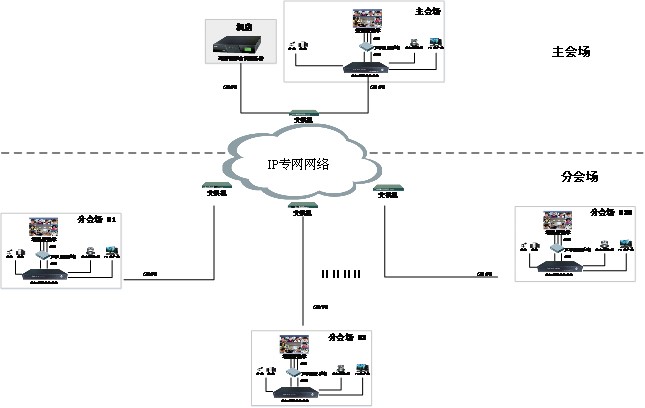
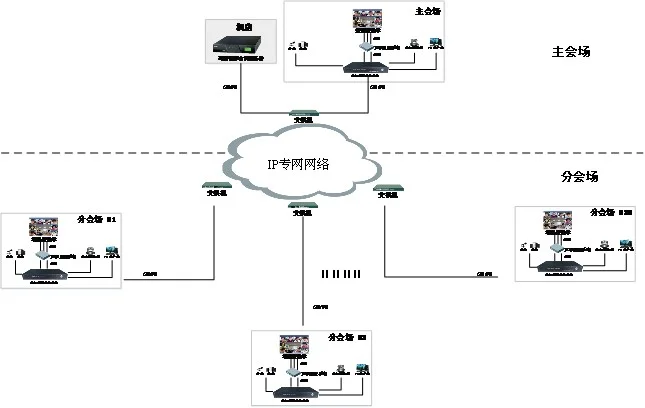
The HD video conference system consists of the IDM-HD Video Conference Server, IDM-Recording Server, IDM-adMUX HD Video Conference Terminal, conference TV, audio mixer, power amplifier, speakers, microphones, conference cameras, network transmission system, Ethernet switches, etc.
The system composition topology is as follows:
III. IDM-HD Video Conference Server
Ø System software supporting multiple audio and video channels;
Ø Built-in noise cancellation and echo suppression functions;
Ø Supports both local conference and remote conference applications;
Ø Provides high-quality conference effects through data priority, rate matching, and transcoding functions;
Ø Advanced network technology, including fast data forwarding, encryption, and firewall traversal;
Ø Supports multiple network protocols: UDP, TCP, HTTP, RTP, SRTP, etc.;
Ø Supports H.264 standard, providing clear video images;
Ø Supports automatic rate reduction and intelligent packet loss recovery functions.
IV. IDM-adMUX HD Video Conference Terminal
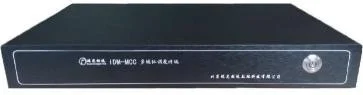
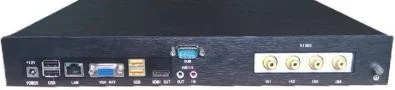
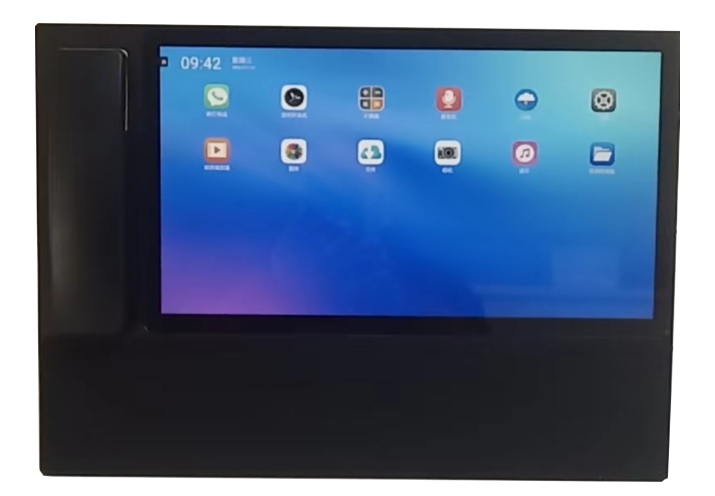
IDM-adMUX HD Video Conference Terminal Device Image
Ø H.323 Call: Call H.323 users.
Ø Video Sharing: Share recorded videos or DVD files.
Ø Electronic Whiteboard: Use the whiteboard together with the remote video user. Detailed introduction will be provided later.
Ø Screen Sharing: Share the computer screen with the remote video user. Detailed introduction will be provided later.
Ø File Transfer: Send file materials to the remote party.
Ø Tiled Video: When there is more than one user, display video windows in tiled mode.
Ø Alternate Video: Swap the display position of your own video and the remote party's video.
Ø Picture-in-Picture: Display picture-in-picture effect.
Note: The picture-in-picture function is not available during conferences; it can only be used in video chat.
Ø Dual-Screen Split: Display the remote party's video and your own video on the left and right sides of the video window respectively.
Ø Hide Video: Hide the video window.
Ø Hide CHAT: Hide the text chat window.
Ø Send to All: Send your message to all users in video conversation with you simultaneously.
Ø View History: View past chat records and video calls. The system will only record chat history when the "Automatically keep conversation history" checkbox is selected in the "Options" menu under the "Messages" interface; video call records are automatically saved by the system.
Ø Add as Friend: If the remote party is not yet added as a friend, use this button to add the video party as a friend.
Ø Record All: Record video.
V. 3G/WiFi Mobile Video Conference Terminal
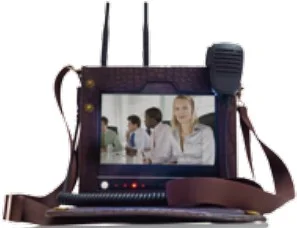
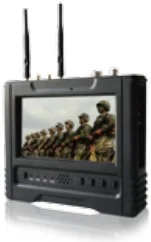
The latest generation HD wireless terminal featuring two-way video communication, real-time HD video storage and backhaul, voice/video intercom, 3G/4G/WIFI/LAN network transmission capability, GPS navigation, and large-size touchscreen on-site control and playback; supports both WCDMA and EVDO 3G network modes, allowing customers to select the appropriate network module based on local network conditions; the terminal also supports multi-card multi-channel bonding technology, which can increase available network bandwidth to meet real-time transmission bandwidth requirements under special conditions.
It is suitable for HD video communication in emergency and mobile environments such as emergency communication, mobile office, on-site acceptance, on-site law enforcement, and emergency command.
Features
1) Video Conferencing
Supports point-to-point two-way video conferencing between two terminals; through the video server, real-time multipoint video conferencing between multiple terminals is achieved.
2) Two-Way Voice Intercom
Supports PTT intercom communication via the configured hand microphone; supports Bluetooth devices.
3) Multi-Card Bonding
Supports multi-card bonding (up to 17 cards), supporting EVDO/WCDMA/TD-LTE mixed networks, greatly enhancing communication bandwidth.
4) On-Site Emergency Command
Real-time transmission of on-site HD images through 3G/4G and other mobile networks, and real-time audio/video intercom enables the command center to quickly and accurately grasp on-site conditions and calmly command emergency response.
5) Local Audio/Video Recording (SD Card)
Supports manual or automatic recording of designated video and audio, and supports retrieval and playback through the terminal to obtain required video information.
6) Automatic Video Quality Adjustment
Features IVE intelligent encoding technology, which adaptively adjusts based on network conditions, automatically selecting the best video quality for you under various complex network conditions.
7) GPS Track Tracking
Supports real-time tracking of mobile terminal tracks via GPS, and supports recording GPS track, speed, and audio/video information together in media files. Combined with online electronic maps, the command center can observe the distribution and movement tracks of all mobile terminals in real time.
8) Multi-Network Bonding
Provides four network modes for data transmission: 3G, 4G, WIFI, and LAN, supporting multi-network bonding and smooth switching.
FAQs
What Are the Functions and Advantages of Video Optical Terminals?
The function of a video optical terminal is to convert one or multiple channels of analog video signals into optical…
View answerWhat is the difference between a Video Optical Terminal and a Network Video Server?
Composition and Function of Video Optical Terminal and Network Video Server An optical terminal is a device used to…
View answer