IP Paging and Intercom Terminal
Touchscreen Zone Selection and Zone Paging, One-Touch Calling of 10 Groups, Built-in 15 W Loudspeaker, Two-Way Intercom
IP Paging and Intercom Terminal 1. Desktop-style microphone design, with a 4-inch display screen and touch control; the display screen has built-in numeric keys and function
What is the IP paging and intercom terminal and what on-site problems can it solve?
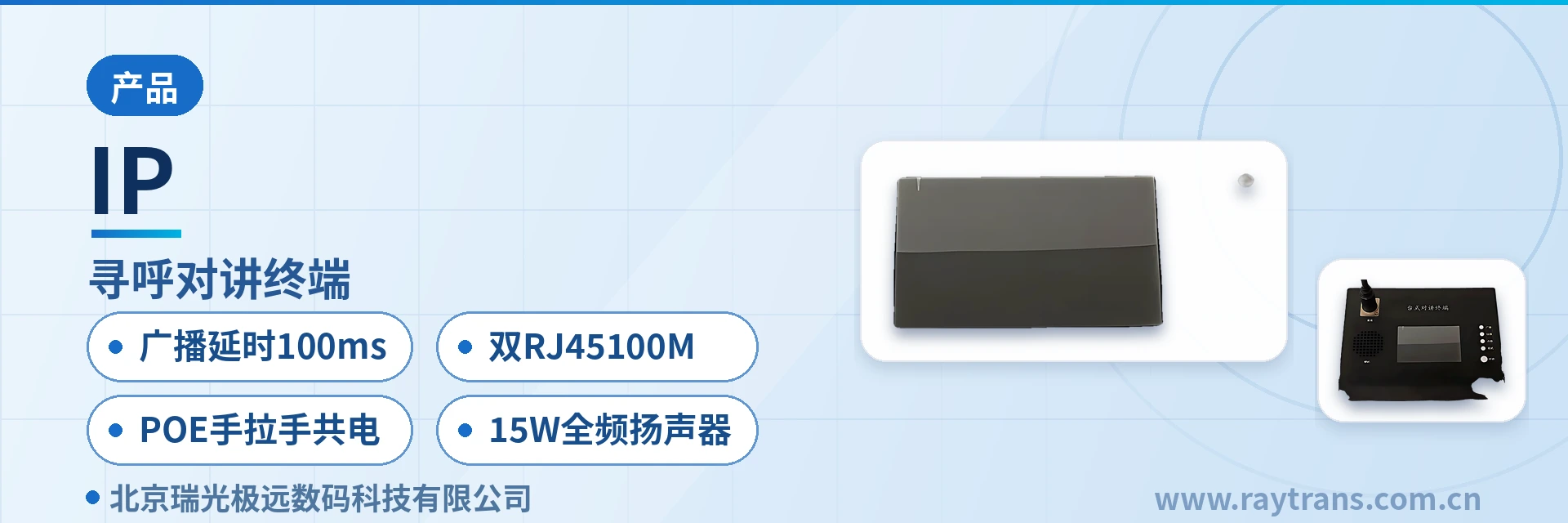
The IP paging and intercom terminal is a desktop IP network paging and two-way intercom device developed by Beijing Ruiguang Jiyuan Digital Technology Co., Ltd. (Raytrans). It adopts a desktop-style microphone design and is equipped with a 4-inch display screen with touch control, carrying call broadcasting, zone paging and terminal intercom services over a standard IP network. As a reliable IP access terminal, it handles dispatch announcements and emergency instruction delivery in private network scenarios such as energy and electric power, rail transit and industrial manufacturing. The device has a built-in 1-channel network hardware audio decoding module and 2 network interfaces with RJ45 connectors; broadcast call latency is below 100 milliseconds, meeting the real-time delivery of private network dispatch orders. The built-in 15 W full-range loudspeaker enables two-way call monitoring without an external speaker, so a single terminal completes the closed loop of speaking out and hearing back.
Key specifications at a glance: 4-inch display screen with touch control · 15 W full-range loudspeaker · dual RJ45 connectors, 100 Mbps · power over Ethernet (PoE) daisy-chain shared power supply · broadcast latency < 100 ms · SIP and MQTT dual protocol
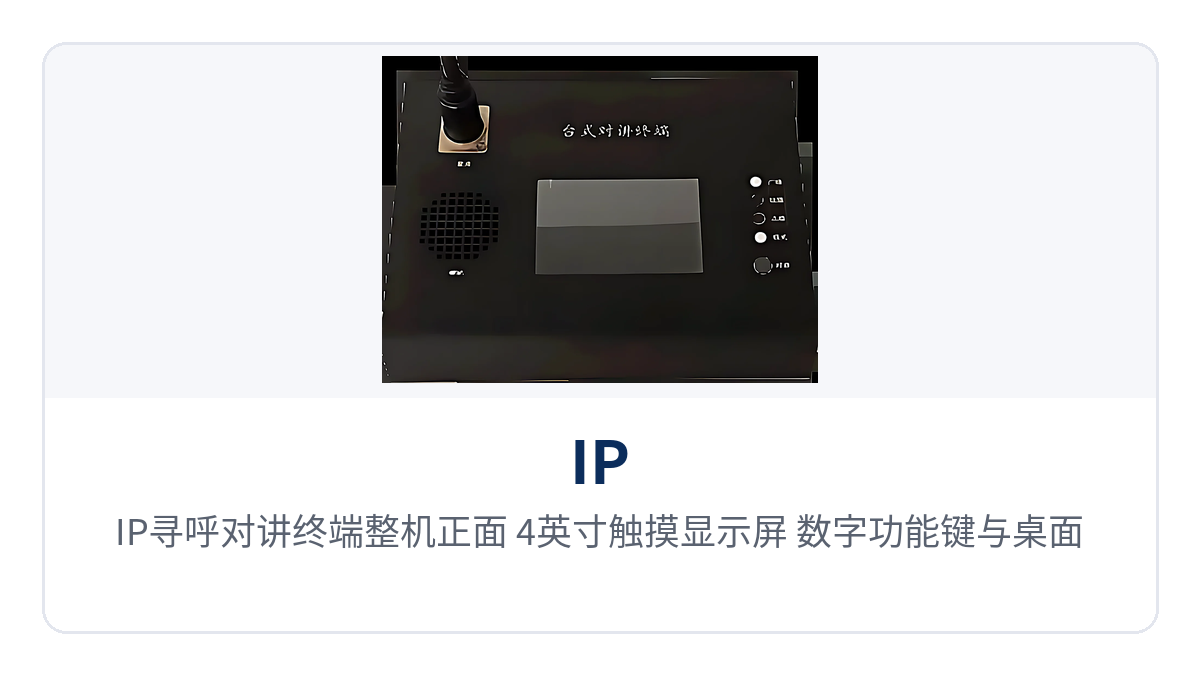
Figure 1: Front view of the IP paging and intercom terminal unit - close-up of the 4-inch display screen with touch control, numeric keys and function keys, and the desktop microphone
The IP paging and intercom terminal merges the functions of three types of equipment - the conventional broadcast microphone, the paging console and the dispatch intercom - into a single desktop device. As an IP network paging microphone, it adopts a desktop-style microphone design: on-duty personnel can initiate broadcasts to a zone, multiple zones or all zones from their seats through the touchscreen or the microphone, and can also make point-to-point calls or intercom with any terminal, with no need to switch back and forth between multiple consoles.
What functions can one IP paging and intercom terminal provide?
The functions of the IP paging and intercom terminal are organized around four main threads: calling, broadcasting, monitoring and linkage. The function items below are listed according to the terminal's own capabilities and can be checked one by one against on-site requirements.
| Function | Description |
|---|---|
| Touch-Based Calling and Broadcasting | The 4-inch display screen has built-in numeric keys and function keys, supports touch-based calling and broadcasting, supports calling a zone or multiple zones, and can also broadcast to all zones |
| One-Touch Call Key | Supports customizable one-touch call broadcasting on up to 10 keys, fixing frequently used zones and broadcast groups to the keys for one-step triggering in an emergency |
| Terminal Monitoring | Supports monitoring of any terminal; the built-in 15 W full-range high-fidelity loudspeaker delivers two-way calls and network monitoring |
| Microphone Broadcast Calling | Supports direct operation to call or intercom any terminal, and supports broadcast calling through the microphone, with broadcast latency below 100 milliseconds |
| Call Strategy | Supports auto-answer and manual answer, customizable answer prompt tones, and customizable transfer time, no-answer time and call waiting time |
| Audio Capture and Sound Reinforcement | Supports 1 audio line input with capture and playback, and can connect audio inputs such as mobile phones and audio recorders; provides 1 audio line output for connecting an external speaker or a power amplifier |
| Headset Jack | Provides 1 3.5 mm headphones jack and 1 3.5 mm microphone input jack |
| On/Off Signal Linkage | Provides 1 on/off signal output and 1 on/off signal input, and can be linked with on-site devices such as access control and alarms |
| Protocol Interfacing | Supports the SIP softswitch protocol, the MQTT Internet of Things (IoT) protocol and more |
| Remote Firmware Upgrade | Supports remote firmware upgrade of the terminal through backend software |
What are the technical specifications and interfaces of the IP paging and intercom terminal?
| Item | Parameter/Specification | Description/Applicable Conditions |
|---|---|---|
| Display Screen | 4-inch display screen with touch control | The display screen has built-in numeric keys and function keys and supports touch-based calling and broadcasting |
| Audio Decoding | Built-in 1-channel network hardware audio decoding module | Audio decoding is performed inside the terminal hardware |
| Network Interface | 2 network interfaces with RJ45 connectors, 100 Mbps transmission rate | Supports power over Ethernet (PoE), daisy-chain connection and shared power supply |
| Loudspeaker | Built-in 15 W full-range high-fidelity loudspeaker | Two-way calls and network monitoring without an external speaker |
| Broadcast Latency | Below 100 milliseconds | Meets the real-time delivery of private network dispatch orders |
| Audio Input | 1 audio line input | Supports capture and playback, and can connect audio inputs such as mobile phones and audio recorders |
| Audio Output | 1 audio line output | Can connect an external speaker or a power amplifier |
| Headphones Jack | 1 3.5 mm headphones jack | 3.5 mm headphones jack, suitable for long monitoring sessions by the duty operator |
| Microphone Jack | 1 3.5 mm microphone input jack | 3.5 mm microphone input jack |
| On/Off Signal Interface | 1 on/off signal input, 1 on/off signal output | Can be linked with on-site devices such as access control and alarms |
| Call Strategy | Auto-answer and manual answer can be switched | The answer prompt tone is customizable, as are the transfer time, no-answer time and call waiting time |
| Power Supply and Networking | Supports power over Ethernet (PoE) and daisy-chain connection, with shared power supply | Reduces the number of power adapters and sockets on the desktop |
| Protocol | SIP softswitch protocol, MQTT IoT protocol and more | Supports interfacing with SIP softswitch platforms and MQTT Internet of Things (IoT) platforms |
| Maintenance Method | Supports remote firmware upgrade through backend software | Remote terminal firmware updates reduce on-site maintenance workload |
How does a desktop broadcast intercom terminal complete calling and broadcasting through the touchscreen?
The operating logic of a desktop broadcast intercom terminal is to select the target first and then speak. This IP paging and intercom terminal puts the target-selection step on the 4-inch display screen with touch control, and all zone status and call information can be presented on the screen as a product showcase. The display screen has built-in numeric keys and function keys and supports touch-based calling and broadcasting; it supports calling a zone or multiple zones and can also broadcast to all zones, so on-duty personnel can complete addressing by tapping a zone with a finger. Zone paging means delivering the same voice to several broadcast zones in one operation; together with customizable one-touch call broadcasting on up to 10 keys, frequently used combinations such as a plant-wide announcement, a given station line or a given workshop are fixed to physical keys, so that a single key press sends the voice out in an emergency.
The device also retains the microphone broadcast calling path: it supports direct operation to call or intercom any terminal and supports broadcast calling through the microphone, with broadcast latency below 100 milliseconds. For dispatchers who prefer to press a key before speaking, the touch and microphone paths can coexist.
What protocols and private network platforms can the SIP broadcast intercom terminal connect to?
The core value of the SIP broadcast intercom terminal lies in replacing proprietary protocols with universal protocols. This terminal supports the SIP softswitch protocol, the MQTT Internet of Things (IoT) protocol and more, and can be registered directly with SIP-based softswitch platforms or with the dispatch systems of command and dispatch system manufacturers; it can also connect to Internet of Things (IoT) management platforms through MQTT, feeding call status and device online status into a unified backend. In a smart mining communication solution, the terminal can be networked together with intrinsically safe mining communication equipment, bringing underground and above-ground dispatch orders into the same converged communication network; in a government private network optical fiber communication solution, the terminal can complete access over the existing optical fiber backbone network without laying any dedicated line.
For system integrators, support for the SIP softswitch protocol, the MQTT IoT protocol and more means that no separate proprietary driver development is needed when interfacing with private network platforms - configuration follows the platform's existing SIP or MQTT access method. For end users, universal protocols mean the terminal can be brought into the same network for unified management together with existing SIP telephones, public address systems and dispatch consoles, instead of building another standalone system. The terminal also supports remote firmware upgrade through backend software, so later feature adjustments do not require visiting each site to plug in for an upgrade.
How do dual RJ45 connectors and PoE daisy-chain shared power supply save cabling?
This terminal has a built-in 1-channel network hardware audio decoding module and 2 network interfaces with RJ45 connectors at a 100 Mbps transmission rate, and supports power over Ethernet (PoE), daisy-chain connection and shared power supply - the dual RJ45 ports at 100 Mbps support PoE and daisy-chain shared power supply, saving cabling.
The practical significance of two network ports is twofold. First, cascading and redundancy: two RJ45 connectors allow a series connection of terminals in a daisy-chain manner, so that multiple terminals share the network and power supply of one link and the desktop needs only one access point. Second, combined power supply: with power over Ethernet (PoE), the terminal draws power and transmits data over the same network cable, so no additional power adapter or socket is needed on the desktop. In places with tight desktop space and limited sockets, such as substation control rooms, subway station duty rooms and plant dispatch rooms, every power cable saved is deployment cost.
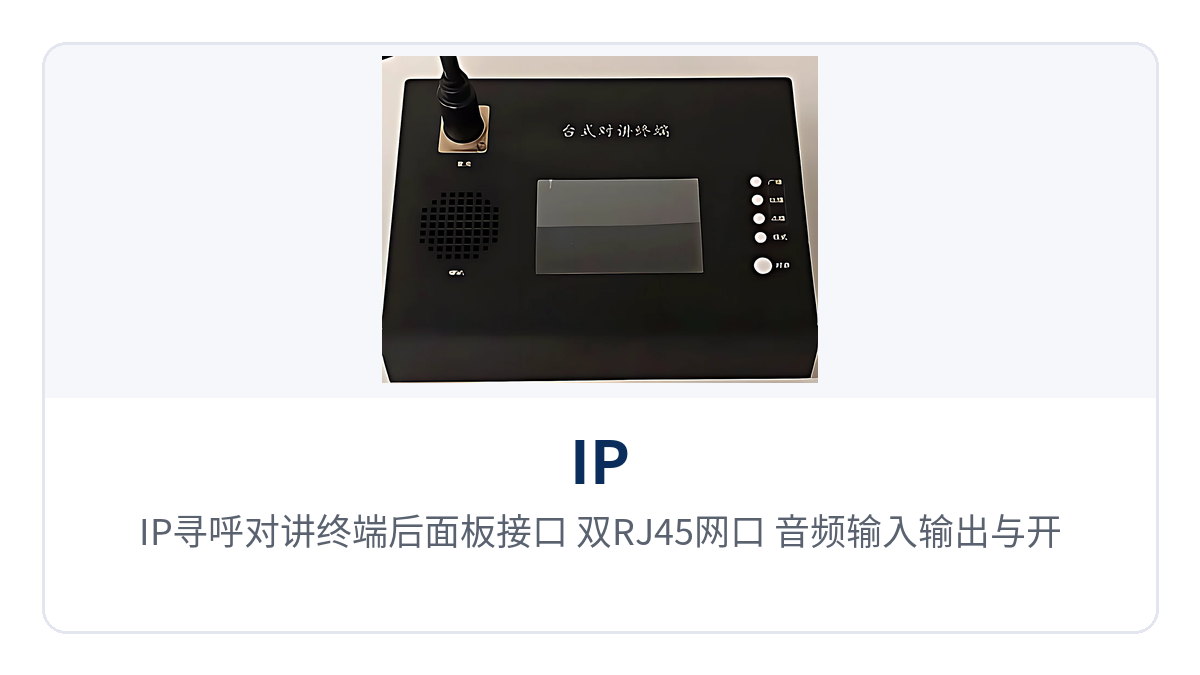
Figure 2: Rear panel interfaces of the IP paging and intercom terminal - close-up of the dual RJ45 connector network ports, audio input/output and on/off signal interfaces
Typical Application Scenarios
Energy and Electric Power: Dispatch Announcements for Substations and Power Plants
Dispatch announcements in substations and power plants require that an order arrive as soon as it is spoken. For substation dispatch announcements, is a 100 ms latency fast enough? The broadcast call latency of this IP access terminal is below 100 milliseconds - the interval from pressing the microphone to sound coming out of the remote terminal is under 100 milliseconds, meeting the real-time delivery of private network dispatch orders. The built-in 15 W full-range loudspeaker lets the duty operator monitor any terminal without wearing headphones. The terminal supports calling a zone or multiple zones, so one device can cover different areas such as the main control room, the switch room and the maintenance team; with its 1 on/off signal input and output, it can also be linked with on-site alarm signals.
Rail Transit: Train Dispatch Broadcasting for Subways and Railways
Broadcast points in subway stations and railway dispatching areas are scattered, making cabling and power supply costly. For broadcast in subway sections, can every possible cable and power feed be saved? This IP access terminal has 2 network interfaces with RJ45 connectors at a 100 Mbps transmission rate and supports power over Ethernet (PoE), daisy-chain connection and shared power supply; the station duty room can connect multiple terminals in a daisy-chain manner, occupying only one network access point, and the PoE power supply removes the desktop power adapter. The terminal supports touch-based calling and broadcasting, supports calling a zone or multiple zones, so platforms, station halls and entrances and exits can be paged individually by zone or broadcast to all zones, covering both routine announcements and emergency evacuation needs.
Industrial Manufacturing: Paging and Intercom in Plants and Chemical Industrial Parks
Paging and intercom points in plants and chemical industrial parks are numerous and maintenance windows are short. For plant paging and intercom, do remote upgrades still require on-site visits? This IP access terminal supports remote firmware upgrade of the terminal through backend software, so O&M personnel can issue an upgrade task from the backend to update the terminal firmware without visiting each workshop to plug in; it supports the SIP softswitch protocol, the MQTT IoT protocol and more, and can be brought into the plant's existing private network dispatching platform and Internet of Things (IoT) platform for unified management. The terminal supports customizable one-touch call broadcasting on up to 10 keys, fixing zone combinations such as process areas, tank farms and the gatehouse to shortcut keys, so that the duty operator can call with a single key press in an emergency.
Conclusion
In private network scenarios such as energy and electric power, rail transit and industrial manufacturing, whether dispatch orders can be delivered in real time directly determines the on-site response speed. The IP access terminal uses a 4-inch touchscreen to carry zone paging, guarantees real-time announcements with broadcast latency below 100 milliseconds, compresses cabling and power supply costs with dual RJ45 connectors and PoE daisy-chain shared power supply, and eliminates the external speaker with a built-in 15 W full-range loudspeaker: one desktop device completes the four services of paging, broadcasting, intercom and monitoring.